

Today, while skipping rope I was pondering (my level of concentration increases when I skip rope) the reason behind the availability of innumerable anti-spam WordPress plugins. Did the creators of WordPress not think about spam issues and don’t they do so now when WordPress has gone viral? Actually, that isn’t the case. WordPress, as a Content Management System, comes loaded with basic features to tackle spam. It is just that we have been spoon fed the idea that a plugin is a must for any WordPress feature other than writing articles and uploading images.
Plugins are required for extra features. Believe me, basics are always packed with WordPress. This discussion will go through some of the best WordPress plugins to fight spam and later on excogitate the WordPress dashboards to find out if we really need such plugins.

P.S. Don’t ask me why I was thinking about WordPress spam while skipping rope. I tend to think weird things at weird times.
The Showcase of WordPress Anti-Spam Plugins
The upcoming list of Anti-Spam WordPress Plugins will help you run a (literally) spam free WordPress blog. It will be your call when it comes to using the best out these bests. Remember, plugins tend to slow down your blog (even when the time period is fractions of seconds) so think before you install such plugins.
Akismet
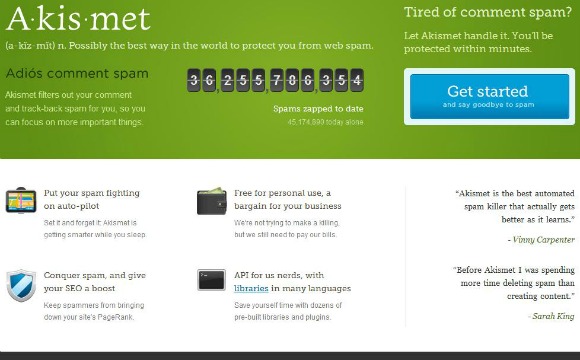
Akismet happens to be one of the first WordPress Anti-Spam Plugins which actually started the trend of Anti-Spam plugins. As of now Akismet comes packed with default WordPress plugins which in itself explains the importance of this plugin. Akismet requires a registration key but once you are through the setup then you can literally forget the plugin. It will continue to perform its job without requiring any interference from your end. Although, the occasional plugin updates at your discretion will be required.
WP-reCAPTCHA
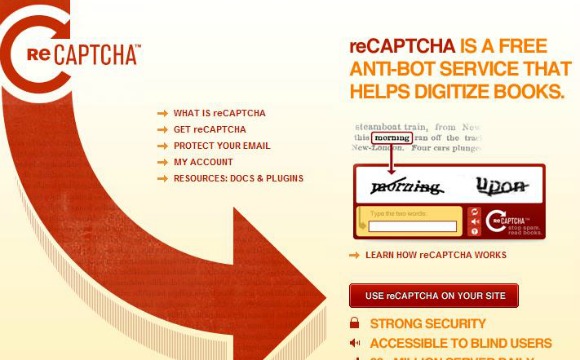
This is another famous WordPress Anti-Spam Plugin which has received plenty of downloads and positive critic ratings. The unique feature of this plugin is the collection of words from old books that it uses for CAPTCHA verification. The functionality used for this plugin was acquired by Google which helped the plugin reach the heights of fame. The plugin has a lot of content for you to read if you have time to do so.
WP Hash Cash
Users are required to submit a proof-of-work in order to confirm that the website was opened in a Web Browser and not by some bot. WP Hash Cash provides admin with three options for comments that fail the JavaScript test. Firstly, you have the option to push the comment into a moderation queue. Secondly, you can push the comment into the default Akismet queue. Thirdly, you have the option of deleting the comment without a second thought.
Additionally, the plugin protects sign-up pages from dummy bots. The plugin is 100% standards complaint with XHTML 1.1 which is hardly the case with other plugins.
bcSpamBlock
bcSpamBlock is a JavaScript based Anti-Spam WordPress Plugin that uses JavaScript and the crypt () functionality of PHP in order to smartly fight spam. Users that block JavaScript are switched to a CAPTCHA based legitimacy check exercise. This helps bcSpamBlock control spam from all fronts. The plugin hasn’t yet received the amount of recognition that other plugins have but it has left its mark pretty neatly.
The above plugin uses a part of the code from JS Spam Block which will be discussed next.
JS Spam Block
Like its child plugin, bcSpamBlock, JS Spam Block uses JavaScript to tackle unwanted spam in WordPress blogs. Legitimate users are asked to enter a given number which proves the authenticity of a real user over a spam bot. JS Spam Block comes loaded with backward compatibility for non-JavaScript users therefore this plugin too covers all sorts of spam. The plugin has received enough positive critic ratings which prove that it is good at what it does.
Spam Stopper
Much like other anti-spam plugins, Spam Stopper WordPress Anti-Spam Plugin uses CAPTCHA features to validate the originality of a comment. It uses JavaScript to validate if the required fields in the WordPress comment form have been filled with correct data. The plugin skips the CAPTCHA validation if the user is logged into the WordPress dashboard. It simply assumes that the author won’t leave spam comments in his own blog.
Peter’s Custom Anti-Spam
Peter’s Custom Anti-Spam WordPress Plugin uses CAPTCHA based validation functionality to gauge if the comment is from an authentic human or a spam bot. It will ask commenters to enter a random word (as per the CAPTCHA image) before the comment goes into the blog. Some of the exciting features of this plugin are the customization of words displayed in CAPTACHA image, random font display, no JavaScript required, audio feature for the visually impaired and a lot more.
The downside of this plugin is the unavailability of an auto-upgrade feature. To update the plugin you will have to perform manual tasks. Although updating a plugin manually isn’t a herculean task, some hearts do start pumping blood very quickly when they read the word – manual.
Spam Free WordPress
This plugin claims 100% spam blocking rate and the amount of downloads (almost) confirms the same. The plugin uses multiple features like IP address block list in case of manual spam. The plugin proudly boasts of its 100% spam blocking rate and boasts about even Akismet not promising the perfect blocking rate. I guess such comments take the Anti-Spam war to another level but at the end of the day it is the user who benefits from such war of anti-spam plugins so it is good!
And, Why You Don’t Need the Above Plugins!
I have no intentions of disrespecting the hard work done by programmers in order to launch the plethora of Anti-Spam WordPress Plugins. Really. But, I am a WordPress user and my life revolves around WordPress. I won’t be doing justice to the best Content Management System if I do not introduce my readers to some of its amazing features.
You (the WordPress user) might have already been through every page on your WordPress dashboard and assumed that without a plugin spam will kill your WordPress blog. Actually, Plugins must be used when webmasters want to utilize extended features that WordPress does not support. Otherwise, the basic WordPress features might just do well!
Ignorance will stall your own blog. How? Well, when you ignore the basic WordPress features and use plugins instead then you give away memory for those plugins to run smoothly. That is when your blog starts to lag. Let us quickly look into different WordPress features that can fight spam without using plugins. The Settings > Discussion section from your WordPress Dashboard will now be our point of discussion.
Default Article Settings
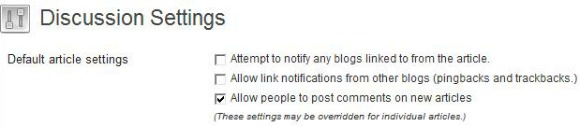
I am assuming that you dream about people leaving gazillions of comments on your posts so the comments cannot be blocked. From this section we can cut down pingback and trackback notifications. These are the silly heads up that keep popping up when some article from your blog is linked by some other article. This step eliminates the requirement of those plugins that fight pingback and trackback notifications. Trust me, you don’t need them.
Other Comment Settings
Fields like Name and E-Mail in the comments form must be marked as mandatory fields. As this is turned on by default in WordPress installations most WordPress blogs have this setting enabled already.

If you require users to log in before leaving comments then this will cut down on a significant amount of spam comments. This step might be a turn off for few legit readers who want to leave a comment but don’t want to sign in. So, analyze before you enable this feature.
Usually old posts are the target of spammers instead of legit readers. So, it is suggested that you close comments on post that are pretty old. Say 3 months? If you are writing articles that are evergreen for discussion then you might want to skip this suggestion.

E-mail Me Whenever
You can use this feature if you don’t get thousands of comments on your posts. You will get email notifications for every comment that pops up and you can mark it spam right away cutting down on a section of spam comments.

Before a Comment Appears
Allowing readers who have previously left a comment to leave a comment again without requiring any approval will help you cut down the legit comments in the moderation queue while you can mark the rest of the spam comments as – spam!

Comment Moderation
Usually, spam comments have plenty of outgoing links. Pushing such comments into a moderation queue will give you the time to approve the legit comments and spam off the useless ones.

Comment Moderation Blacklist
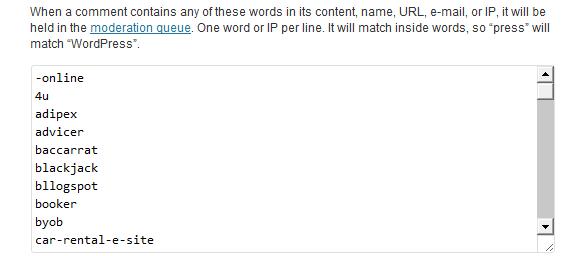
If you smartly tune your Comment Moderation Blacklist and regularly update it with words that you think are often part of spam comments then you will eradicate the need for plugins that do the same task. It might take some patience to build such a list but the hard work will surely pay off. This will remove the need for any third party blacklists and plugins that use such lists to fight spam.
Comment Blacklist
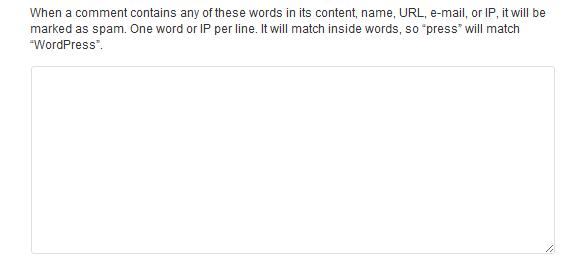
Comment Blacklist is more or less similar to above list. The only difference is that comments blacklisted through this list will be directly marked as spam and they won’t be pushed into the moderation queue for re-consideration. Use this list very carefully otherwise some legit comments will be marked as spam.
Life Without Akismet
Akismet anti-spam WordPress plugin comes loaded with default WordPress installation so it must be important? Well, not really if you are using the above features smartly and updating them regularly. Please understand that every plugin will eat up a section of your useful memory which might (as pointed out before) slow down your blog. Use the aforementioned features and you might not even feel the need for Akismet!
Conclusions
Let me know if you will take the extra step of disabling Akismet and start fighting spam without any WordPress plugins. I am ready to take this step. Joining me?
