

All great designers are constantly improving their skills. There has never been a successful designer, or anyone of another profession for that matter, that has stopped at a certain point and said, “Good enough”. Fortunately, there are plenty of ways to always be learning new things, and to always be improving.
In this post we’re looking into 20 different ways a web designer can improve their skills at any time. They involve everything from learning new abilities, to changing focus, and to revamping one’s mindset when it comes to design. Check out these 20 methods for improving as a web designer, and feel free to add your own techniques in the comments section!

20 Great Improvement Methods
1. Study UI Design Patterns
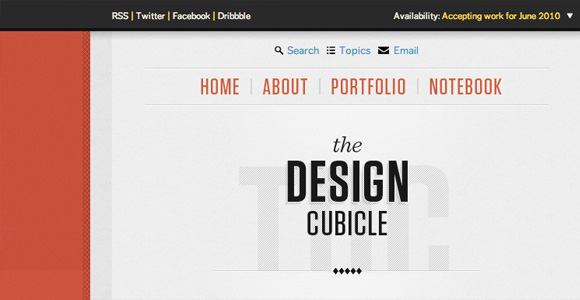
Check out websites like UI-Patterns.com to explore the best user interface patterns for the web. They come in nearly every category, and can provide great new ideas to get you out of your own interface rut. Do you tend to give your clients the same layout over and over? Do you use the same navigation look, or use the same format with forms? Check out the user interfaces of other websites with collections like these to gain inspiration and learn new habits.
User Interface Pattern Websites:
- UI-Patterns.com
- Quince
- Pattern Tap
- CSS Bake
- 10 UI Design Patterns You Should Be Paying Attention To
- Yahoo! Design Pattern Library
- Welie
- Patternry
2. Pay Attention to Detail
Look at the detail in everyday objects, and actively look at detail in other web designs. Practice adding more of this detail into your own designs. A great designer looks at texture, shadows, indents, shapes, cutouts, and much more. Don’t get lazy! Look at and add every little detail into a web design from your source of inspiration.
3. SEO Techniques
Many clients love a designer that offers SEO services. Whether you’d like to do this or not, though, learn more about how to create and code websites that are SEO friendly. By adding it to your resume, you’re helping your client’s websites more, and therefore helping yourself more. The more successful your client’s website, the more referrals you’ll be able to get!
4. Learn Web Design Trends
Trends are never something a web designer should solely rely on, but learning new trends is a great way to keep up with technology, and to keep you as a designer out of a rut. Of course, on another note, you’ll never know when a client will see a technique they like on another website and want a similar look.
Do yourself a favor by keeping your designs modern, and by keeping your skills sharp by studying trending techniques.

5. Know Typography Well
Keep in mind that what will be viewed most on any website you design will be the text. Know how to design this text well. Having a good understanding of typography involves math, a good vocabulary of fonts, and more advanced technologies such as SIFR and Cufon. Learn about these things and learn how to use them.
Learn about baseline rhythm, readability issues for different fonts, text sizes and their effects, and more. There are plenty of useful tools/articles, such as the Baseline Rhythm Calculator, Better CSS Font Stacks, Typechart, and Typetester.
6. Practice With Color
Have you ever grabbed a palette off of ColourLovers, looked at it for awhile, and then realized you had no idea what to do with it? If so, you may have some trouble understanding how one should use color. Learn about color theory and the psychology behind color to know what to do with a palette, and to learn how to create your own palettes better.
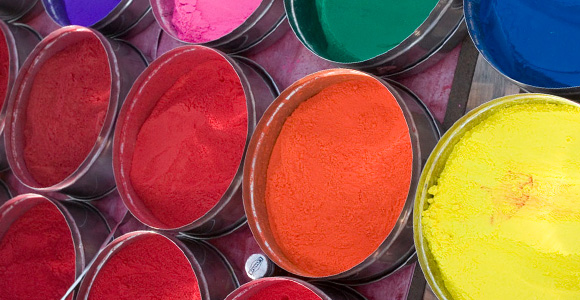
Image credit: Dey
7. Know JavaScript
Many web designers make the choice of whether to learn additional web development languages or not, but JavaScript is quickly becoming one of those languages that belongs more with the web designer than the developer. It is grouping itself with HTML and CSS in terms of when it should be used. As a web designer, know the basics of JavaScript, and learn about at least one JavaScript library to work with.
For a great start, check out The Bits of JavaScript that Every Designer Needs to Know, right here on onextrapixel.
8. Become a Better Communicator
It doesn’t just take the ability to make great websites in order to be a great web designer. Being a web designer involves knowing how to solve client problems as well. Client problems can be solved faster, more efficiently, and better with overall better communication skills. No communication is fine for personal projects because you already know what you need and want out of the project. With clients, it’s different.
Being able to call a client with confidence and win over projects is a must for a web design business to survive. It is also important throughout the design process for getting the project done right the first time. Better communication means better final projects, and better final projects means more repeat business, happier clients, and more referrals!
9. Do Some Tutorials
I used to not be a big fan of tutorials, as I felt they took a long time, and I just felt as though I was copying someone else’s work, step for step. However, I soon realized that by doing a few, I began picking up techniques and best practices, and I also began using tools in some of my favorite software with more confidence.
There are a lot of tutorials out there, from coding to design, and some are for small effects or an entire project. Whatever sort of tutorial it is, it can be a great way to learn something new. Sometimes going through something with someone else can help one to pick things up better than reading a book on design theory or programming syntax.

Image credit: Jakob Montrasio
10. Learn from Your Mistakes
Making mistakes and learning from them is the absolute best way to learn. Think about your past web design years — were they perfect? Of course not. Take some time to reflect on some moments where you made mistakes, and then know and recognize the lessons learned. Literally take out a piece of paper and start writing them down.
Some lessons may be client related. Maybe you were not good about calling clients back or too nervous about client phone calls and meetings in the beginning. Where are you now? What were the negative consequences in terms of the project? How can you improve in that area today? Other mistakes may be skill-related. Perhaps you made a design, thought it was fantastic, but then got some negative feedback on it. How do you take the criticism? What were others saying was the biggest problem?
In a very skill oriented field like web design, mistakes are going to be made. The biggest mistake of all is not to learn from the previous ones.
11. Get Technical
Design is a lot of math. Learn more about the technical sides of design, rather than being in the habit of placing things wherever you please. If you’ve ever had the feeling that something was just ‘not right’ in your design, it was likely your subconscious telling you something was off-kilter.
Great things to look into are hierarchy, the Golden Ratio/Divine Proportion, Sine Wave Design, etc. Take a look at Smashing Magazine’s excellent post on applying geometry and other forms of math in website design: Applying Mathematics To Web Design.
12. Use a Sketchbook
Get in the habit of brainstorming your ideas on paper first. A good sketchbook is a decent investment for any web designer. Illustrate backgrounds, wireframes, or write down and organize ideas in writing. However you use it, use it for developing your skills and brainstorming effectively for the best final results.

Image credit: elbragon
13. Go Outside and Get Some Air
In other words, get your brain going again. Sometimes the best web designs are formed from true, clean, inspiration. Get off of your computer and take a break. Don’t go to the TV, or even to a book. Always take some time out every day to let your mind wander aimlessly to keep stress low and improve your natural design ability.
14. Collaborate with Others
Discuss your projects, designs, clients, and best practices with other web designers. Discuss them with graphic designers and web programmers as well. Discuss them even with family and friends. Get opinions, see what others think of your work, and be motivated through that socialization.
Not only will you likely learn specific techniques from those in the same or similar professions, but you’ll also be able to reflect on the reactions from those that aren’t experienced in design. These people would be similar in thought to your own clients, so take their advice and examine their opinions well.
15. Whitespace: Take More Out
This is not a movement to get every web designer into a minimalistic look. Rather, it is a movement to get every designer to see the fundamentals of great design. Do you over clutter your designs? Try to take everything out of your designs that is unessential. What is left?
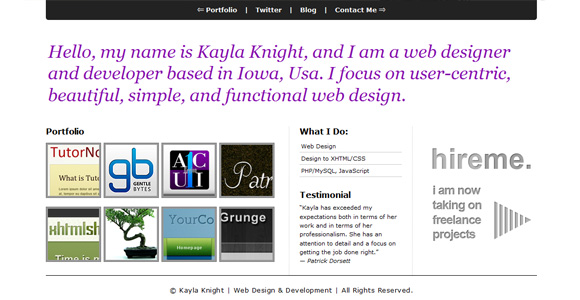
By focusing on what is needed, we can prioritize the elements that make up our web designs, and organize them better overall.
16. Re-learn the Basics
Do you think you know the basics of everything that involves web design? Look them up again, and you may be surprised what your seemingly experienced mind has missed. Google things like:
- “Essential CSS techniques”
- “Basics of web usability”
- “Design principles”
- “Color theory basics”
- “Design theory”
17. Know the Grid
Know what a web design grid is, how to use one, and get experience working with a popular grid framework, such as the 960.gs System. There are plenty of articles on how to use a grid, including Grid-Based Layout, 5 Simple Steps to Designing Grid Systems, Grid-Based Design 101, and Grid-Based Design: Six Creative Column Techniques.
18. Buy a New Book
Buy a new book or resource concerning something you don’t have much experience in. Always be learning as a web designer, and always be expanding your knowledge. If you feel like you’re in a design rut, there’s nothing like learning something completely new to find inspiration. You’ll immediately want to try out the new things you’re exploring, and then you can add those skills to your already vast set of experiences.
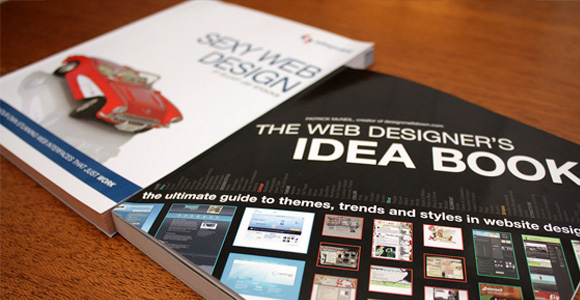
Image credit: dareppi
Buy a new book that will teach you a new language, teach you how to do something specifically (like creating an iPad app), or a book that focuses very specifically on your own specialty. Learn anything that tickles your fancy – as long as it’s new and intriguing.
19. Attend Conferences and Events
Many web designers overlook the importance of attending web design conferences and events. They are a great place to network and to learn new things. Sometimes, the cost of the conferences is what gets many designers: they all have registration fees, and for many, the cost of traveling is an issue as well.
To combat these fallbacks, understand that the registration fee is relatively cheap for what you’ll be getting out of it, and it is one of the most important investments a web designer can make in their field. Also, always be checking for events that are closer to your area to avoid traveling costs.
20. Convert Your Own Designs
If you don’t already, begin converting many of your own designs from PSD to HTML and CSS. Many web designers choose not to do this on their own because it’s time consuming and can be boring if it’s just not something one likes to do. However, could you be one of those designers that doesn’t do it because they don’t know how? Do you know the techniques necessaray to convert your own designs in the first place?
Converting your own designs can alter the way you design altogether. You may find some usability errors you’ve been designing around, or you may begin designing with the developer in mind more. By coding your own designs, you can see and fully understand how your designs are functioning in the back-end – how easy it is for them to implement SEO techniques, their load time, etc.
Conclusion
Any designer can benefit from improving their skills, and the best designers know that improving a little bit every day is the key to success in this industry. As anyone can see, a web designer can improve in a variety of areas, from design to coding, and from business to networking. It doesn’t have to all be about design specifically; what’s important is that you, as a web designer, are growing professionally in any way for the future.
How do you improve as a designer? What do you do to learn new things and keep up-to-date on the latest trends, and how do you improve as a professional?
