

Working on your wireframes before starting on the details of any design is a crucial step in web design. As you realise the importance of wireframes, you need to know how you should start creating them and what rules you should try to follow in order to create a better brand and user experience. This is the second part of an earlier article about wireframes that will discuss some of these issues.
THE RULE OF 5 PLUS OR MINUS 2
When presenting any kind of information on a page, it is best to use no less than 3 and no more than 7 groupings of elements. This is to avoid overwhelming your visitor with too many choices.
For global navigation, for example, try to use a minimum of 3 and a maximum of up to 7 top-level links, excluding the logo for the home page.
For other page elements, use more items if necessary, but keep the number of distinct groups to a maximum of 7 and minimum of 3.
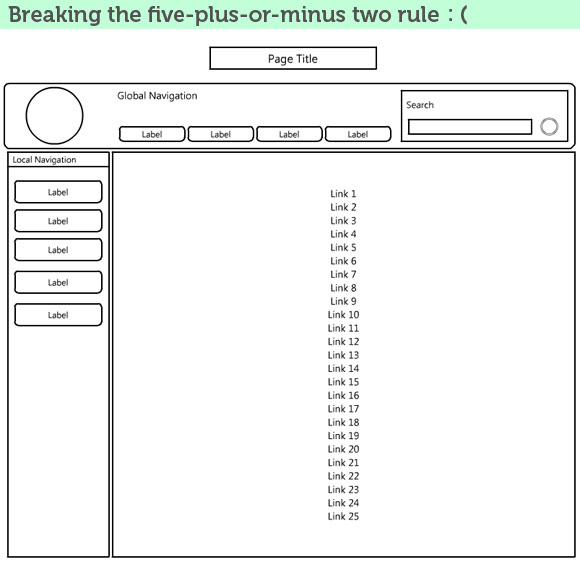
Don’t present visitors with too many links at one time. The only exception is within a section of categorized content, where items are alphabetised, and visitors will know how to find what they’re looking for. Never present all available options of mixed categories in a top-level page.
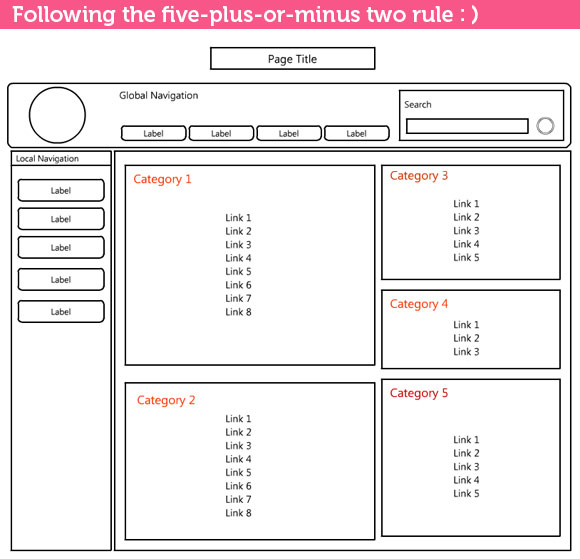
On a directory page, for example, instead of offering a list of links, organize them in 5 categories of about 7 each, as illustrated.
Categorizing multiple elements in fewer groups makes it easier for site visitors to find what they’re looking for. It also reduces the chance of overwhelming them with too many details.
Page Footer
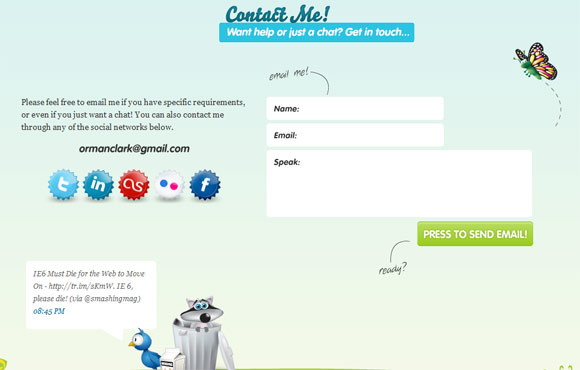
Include a consistent footer across the bottom of each page. The footer includes company information, copyright and trademark information, links to privacy and security information, terms and conditions for use of the site and its content, and other fine print details. Footers also commonly include a Contact Us link or social media icons like “Twitter”, “Facebook”, “Stumble Upon” and “Digg”.
Which Wireframes To Design First?
The first wireframe to design is the site’s most important page, the home page.
Next, consult the user scenarios and site-map to choose the pathways through the site that users will take to complete key tasks (the tasks most closely associated with user needs and the site’s high-level business goals). Design these wireframes second; these pages, along with the home page, make up the prototype of the site for testing.
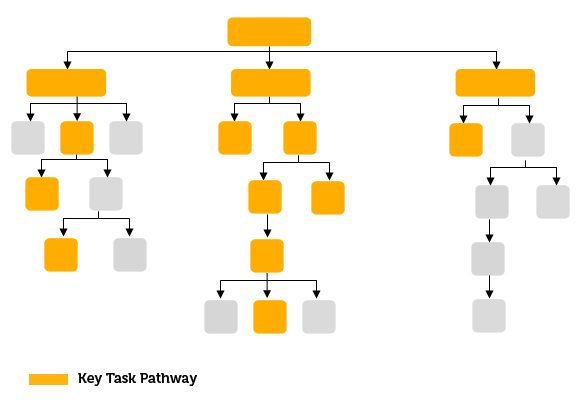
Usually, the site’s key task pathways will involve all or most of the top-level pages in the site, the home page, and lower-level pages that are usually involved in the key tasks. After the prototype wireframes are designed and tested, you will then design wireframes for the rest of the site’s top level and lower level pages.
Wireframe Design Guidelines
After the initial viewing of a web page, the user tends to start blanking out the elements that remain consistent from page to page in the site. He or she begins to focus instead on content and elements that differ from one page to the next.
That’s why global and local navigation elements should be discreet, letting the user focus on the page’s central content area. Using wireframes to design individual pages makes it easy to see where content is needed and gives you a better understanding of the space you have to play with. Here are some guidelines to help you make the most of it.
Use Hierarchical Structure
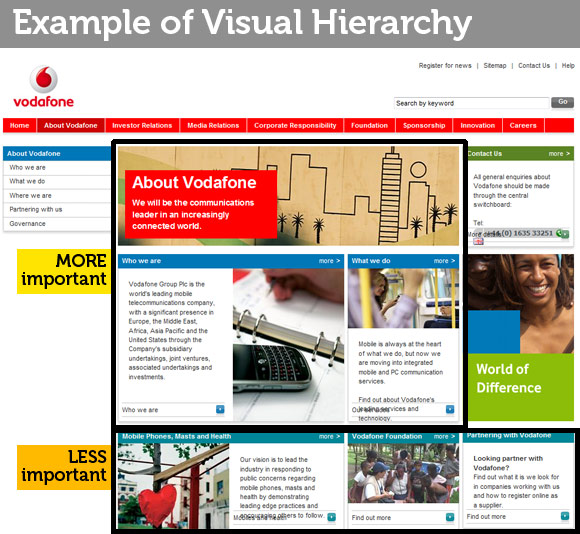
Place items of higher priority and importance at the top of the page, where they will be more visible. This usually comes hand in hand with the business goals of the site. Think of the way merchandisers scramble (and sometimes pay large sums of money) to place their products at eye level on a retail store’s shelves. They know that potential customers will notice those items first and are most likely to purchase them.
Text (Embedded) Links vs. In Paragraphs Use Hierarchical Structure
Placing links in mid-paragraph within the body text disrupts the visitors’ engagement, prompting him or her to click to another area of the site (or to a different site altogether). To let visitors enjoy a passage uninterrupted, break out text links as a separate list, placed to the side or at the end of the text passage.
The Home Page Is The Doorway To Your Site
Practitioners of feng shui, the Chinese art of arranging objects in a space to promote harmony in and among the people who use it, place great importance to the entry to a home or office building. The entry has the power to welcome people in and make them feel comfortable about staying. It can also make them feel uncomfortable or even scare them away.
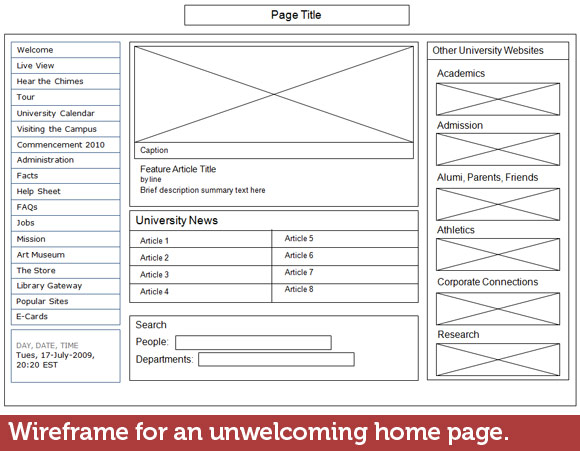
You may or may not believe in Feng Shui, but I think it’s worth paying attention to what practitioners say about an entryway, at the very least. Consider a front door, painted a cheerful mandarin red, with well-tended plants and flowers in pots on either or both sides, and a happy-sounding doorbell.
Now compare that with a front door that’s accessible only after climbing over or around several pieces of old broken furniture and discarded toys. The lawn is unkempt and overgrown, the paint on the front door is peeling, and the doorknob is broken and won’t turn easily. Unless you have a very good reason to go inside, I’ll bet you’re very likely to give up and walk away.
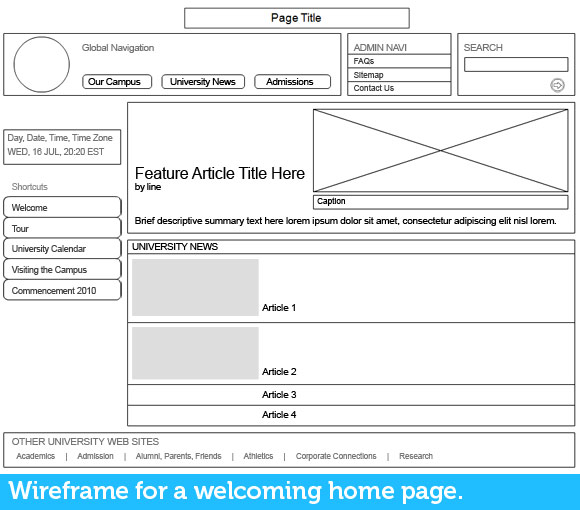
First impressions count! The home page identifies the site – and it’s the site-owning organization’s first chance to make a good brand impression. First impressions of a site can be difficult or impossible to overcome, so take great care with the home page’s information design. I’ve picked out a few welcoming home pages, for your reference.
Welcoming Homepage References
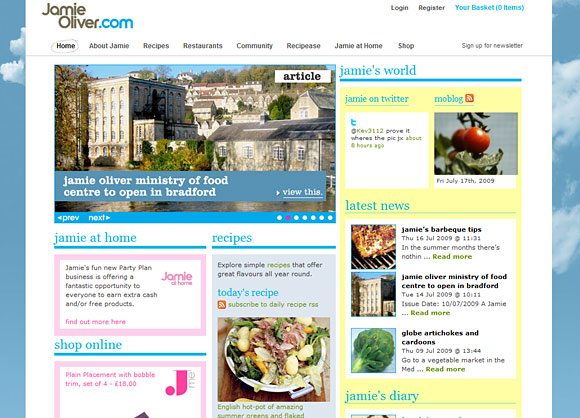
Jamie Oliver
This site’s global navigation uses very clear labels. Scroll down to the footer and you will see that it contains all the shortcuts to the important pages. These quick links provide users quick access without going through all the navigations in the global and local navigation.
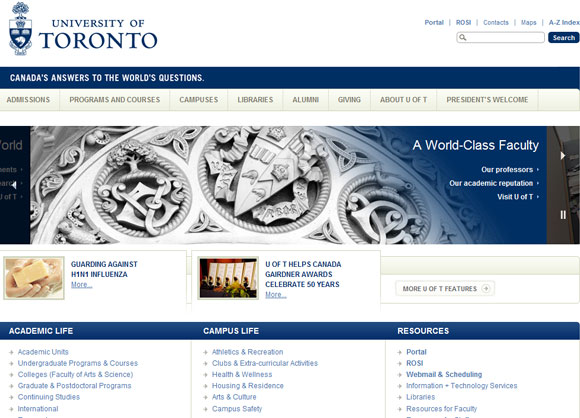
University of Toronto
The University of Toronto homepage has divided their links into groups with appropriate headers. It gives a clearer classification of links and also helps users narrow down the topics that they are looking for.
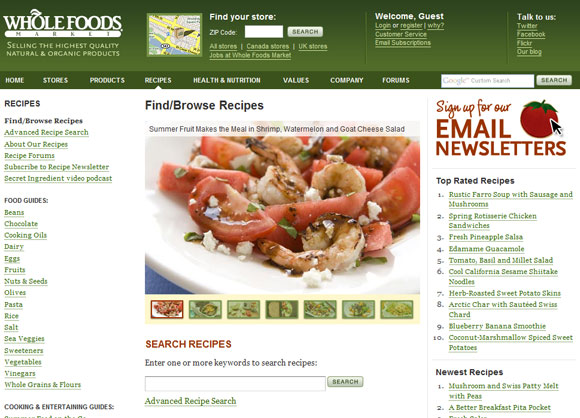
Whole Foods Market
Whole Foods Market contains a very detailed masthead. It not only includes contact details and login information, but also has a Store Locater which enables users to find their stores by keying in a zip code. It has categorised 2 important links; the Featured and Top Rated tabs, allowing users to dive straight into their favourite links in the site.
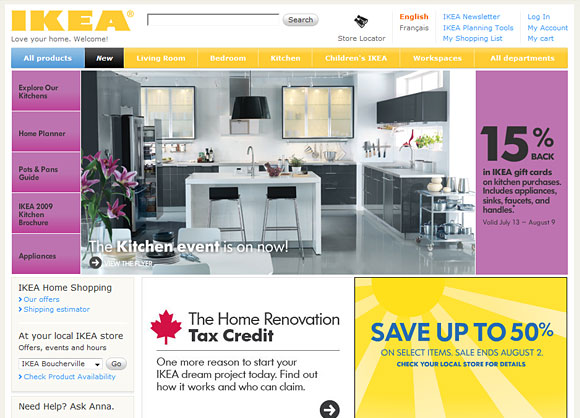
IKEA Canada
The bright and inviting colours used in IKEA Canada’s homepage draws the attention of visitors. It contains a flash navigation that advertises their latest promotions. The labelling of the global navigation is clear and precise, as such users do not need to spend too much time figuring out where to click.
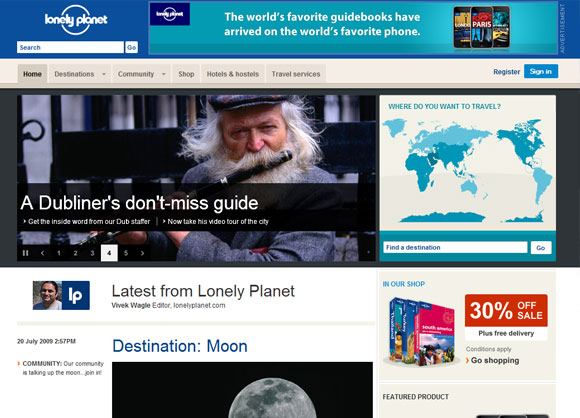
Lonely Planet
The main goal for most users, who visit Lonely Planet, is to learn more about the country that they will be travelling to. By having the map on the top of the page, it allows users to search for their destination easily. The homepage also contains discounts that are available and interesting topics that attract users to explore the site further.
Last BUT NOT Least, Test As You Go Along
As soon as you start creating wireframes for the home page and top-level pages, show them to people for feedback. Take them to other members of the web team, to the subject matter experts who are helping with the site, and to any target audience members. Ask them to look over the wireframes and tell you if the labels, navigation, placement of content areas, and all the other elements make sense.
You should use this feedback to refine the homepage and top-level wireframes before using them to create wireframes for lower-level pages.
Resources On Wireframes And Prototyping
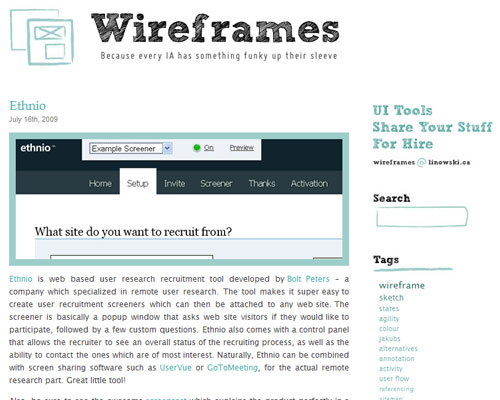
Wireframes magazine
A blog magazine dedicated to almost everything about wireframes.
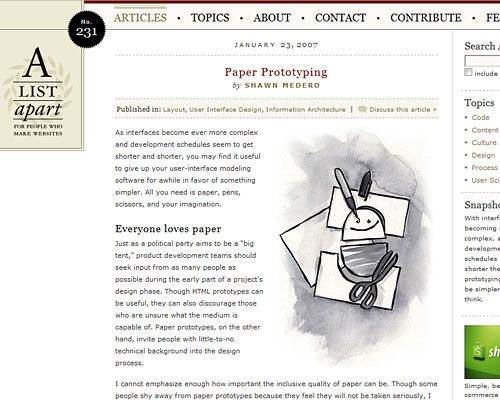
A List Apart
A List Apart Magazine explores the design, development, and meaning of web content, with a special focus on web standards and best practices.
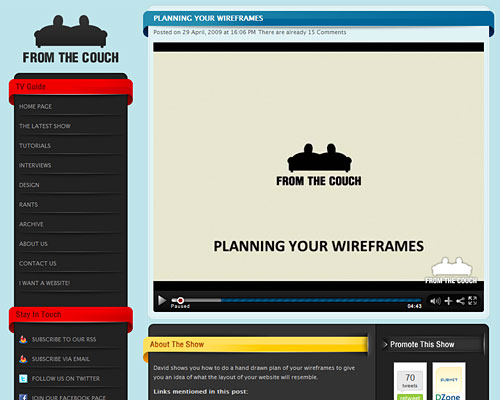
From the Couch
‘From the Couch’ is an Online Video show, hosted by brothers Marc and David Perel, which covers everything that is web orientated. In this video, David shows you how to do a hand drawn plan of your wireframes to give you an idea of what the layout of your website will resemble.
Conclusion
Applying the Rule Of Five, Plus Or Minus Two, when designing wireframes is one of the good practices of information design. When working on your next project, take great care in designing your home page, as that is the key to the branding and experience your audience will encounter.
