The Autopsy Of WordPress As CMS With 25 Great WP Plugins & Designs
WordPress clearly need no introduction for web devotees like us. Starting out from just a humble blogging platform in 2003, it has grow exponentially into a popular platform not only being used extensively by bloggers but designers and developers too.
WordPress have since then become the rice bowl for many Netizens. Whether it’s through blogging, designing WordPress templates, converting PSD to WordPress style XHTML or creating corporate sites, no one could argue that it’s indeed one of the most important platforms on the web today.
![]()
From the previous post, 20 MUST HAVE Wordpress Plugins For You To Get Started Effectively, which I believe have given you an overview on how powerful and easily WordPress Plugin can help us extend our blog or site.
Finding a suitable and simple to use CMS can be tough. It must be flexible, secure and work right out of the box. Beside that, it must be able to extend its functionality and search engine friendly. Let us now discuss why netizens like WordPress and what WordPress can further do for us as a simple Content Management System (CMS).
Reasons For Using WordPress As A CMS
WordPress was built to be a blog platform. Due to simplicity and user-friendliness, WordPress has become a choice for people, when looking for a simple CMS with tons of great plugins available.

![]()
Image from: Safirul Alredha
It’s Flexible And Versatile
If you have doubts of the capability of WordPress and were avoiding WordPress for your photo gallery or portfolio site because you thought WordPress could only be used as a blogging platform, you should consider again. You will be astonished at the multitude of ways WordPress can be used to customize your site whether it’s an online portfolio; eCommerce; online gallery; photo blog; news; magazine site or even article libraries, WordPress can handle them easily and quite competently too.
It’s Most Common And You’re Familiar With It
You probably wouldn’t be wrong if you followed thousands of contented WordPress users. It has been talked about and discussed frequently on the web. Familiarity not only breeds trust in the system, but also the ability and expertise to customize it to fit your every need. For those who love to tweak the stuff they use, you’ll be saving a lot of time in the long run from not having to learn/master a whole new CMS when you have initially used WordPress.
It’s Extremely User-Friendly
Other Content Management Systems which claim to be more robust or feature-rich tend to be rather poor in user-friendliness which is an important key point. Simplicity is the critical aspect here as beginners adopt and handle WordPress a whole lot easier. Most of your clients are without programming language knowledge or less experienced CMS users. They can easily pick up WordPress in a matter of hours as the learning curve is rather low.
Huge Variation Of Great Themes, Templates & Plugins
Over at the WordPress Repository, there are tons of free themes, templates and plugins compare to other CMS. And we are not talking about mediocre stuff here. There are some killer themes and great plugins that can really make your life much easier. The extend of customizing your site with WordPress plugin has endless possibilities.
Most Importantly, It’s Free, Stable And Secured
With a team of dedicated developers constantly striving for improvement and fixing any potential bugs and security issues, you wouldn’t be any more assured. New features are always added and WordPress keeps getting better while staying free, of course!
Huge Community, Strong Support
As a beginner to WordPress, you will often face problems be it installing WordPress, customizing themes or writing your own WordPress plugin. The WordPress community can always be a place to turn to. The WordPress forum has developed a tremendous base of knowledge on all aspects of using WordPress. Just do a search and most likely you will land on an answer page.
What To Consider Before Using WordPress As CMS
Even the best wonderful system may have tiny flaws. Most of the disadvantages for using WordPress as CMS are when people tries to warp it outside of being a blog. They tend to add tons of plugins to make WordPress take the place of other CMS (Joomla or Drupal etc). In fact, it actually lowers the performance level, and has sustainability problems in time to come.
![]()
Image from: Huasonic
You might want to consider some of the pointers below and ask yourself whether WordPress is suitable for your CMS job.
Hacking the WordPress Core
If there is a need for you to hack a lot of areas in the core of the WordPress system, perhaps you might want to source for other CMS. It will be hard to maintain and upgrade if you customize the core code or add any amendment around to make things work. Remember, WordPress's beauty is its simplicity.
Having Too Many Plugins
WordPress plugin is nice to have, but as the saying goes too many cooks may spoil the broil. Having too many plugins will make your site bloated and slow down its performance. If you need to install over a few dozen of WordPress plugins just to achieve certain functionality for your site to work, you should consider again.
Hard To Transform
It's important to know what's the requirements, goals and how the site will transforms into eventually. WordPress is great for having a reasonable number of administrators or editors, but it's insufficient for complex tasks, e.g. community sites; education portals; social networking site etc. If you need to extend the WordPress system to a site that allows visitor to login; have their own nice profile administrator area; news feeds; add friends and so on then this is quite hard to achieve in WordPress.
12 Popular WordPress CMS Plugins
With thousands of plugins to choose from to enhance your WP's site, it's in fact quite hard to make a choice. However, here we recommend 12 of the most popular and capable plug ins in today’s plugins library. Be sure to try them out!
Flutter
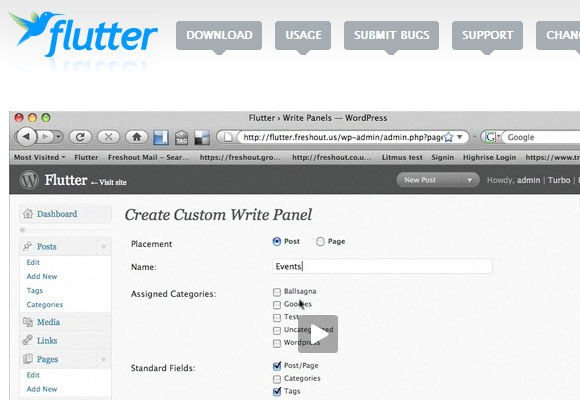
Flutter is a feature rich WordPress CMS plugin that focuses on easy templating for the developer and simplifies content management for the administrators by creating custom write panels that can be fully customized.
Custom Admin Branding
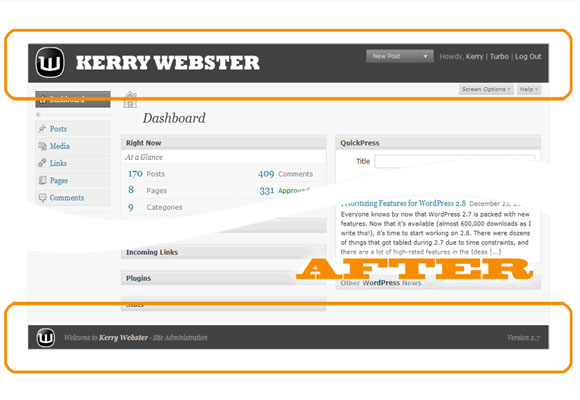
Custom Admin Branding Plugin allows you to not only re-brand the WordPress login screen, but also the admin header and footer with your own custom images. This will actually give your client an idea that the CMS is tailor for his business.
More Field
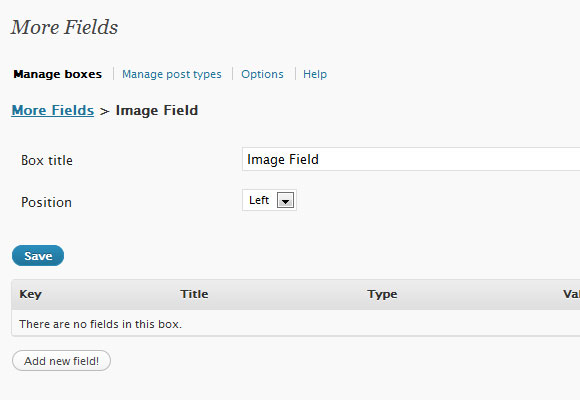
More Fields is a WordPress plugin that adds boxes to the Write/Edit page. These boxes contain input fields, so that additional fields can be added to a post. This is extremely useful if you are making use of custom fields, it will make the way you input data through custom fields more user friendly.
MailPress
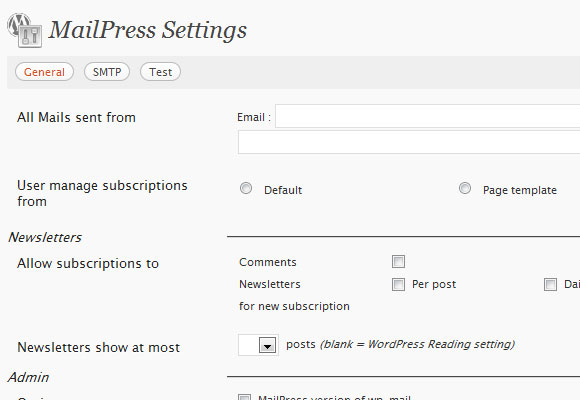
MailPress allows you to send beautiful styled HTML and plain text mails based on dedicated themes and templates. Very often, there will be a need to have newsletter subscription on the site for the visitors. MailPress is awesome when it comes to handling newsletters. It can track the newsletter that has been sent out and even schedule for the blast with additional FREE addon modules.
PageMash
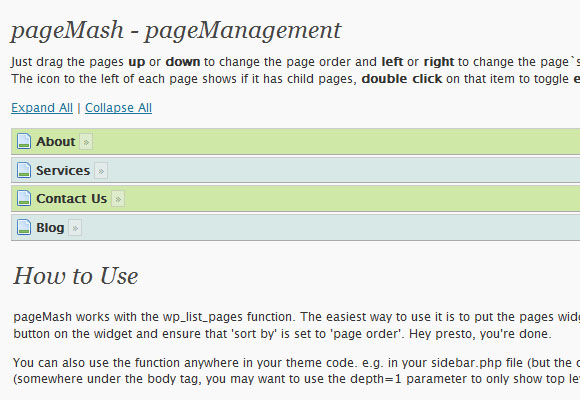
PageMash allows you to customize the order of your pages with simple Ajax drag-and-drop administrative interface with an option to toggle the page to be hidden from output. A great tool to quickly re-arrange your page menus, if you find the default page ordering is not user friendly.
Multi Level Navigation
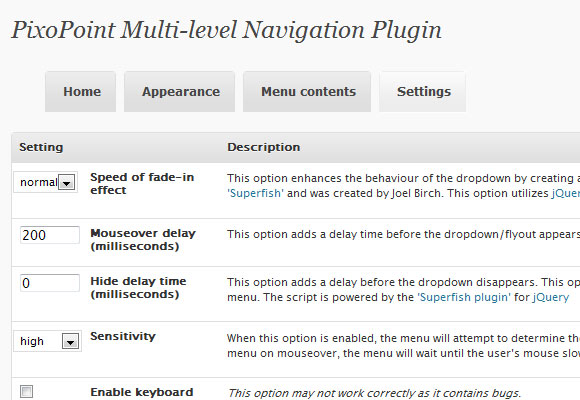
Multi Level Navigation generates the code necessary to create a Son of Suckerfish horizontal dropdown, vertical flyout or horizontal slider menu. The plugin produces W3C valid HTML and CSS and only requires Javascript to function for very old browsers such as IE 6.
Role Scoper
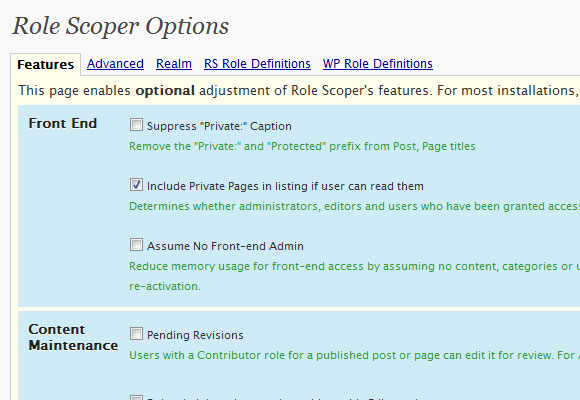
Role Scoper is a comprehensive enrichment for access control in WordPress, giving you CMS-like control of permissions. Assign reading, editing or administration roles to users or groups on a page specific, category specific or other content specific basis.
User Access Manager
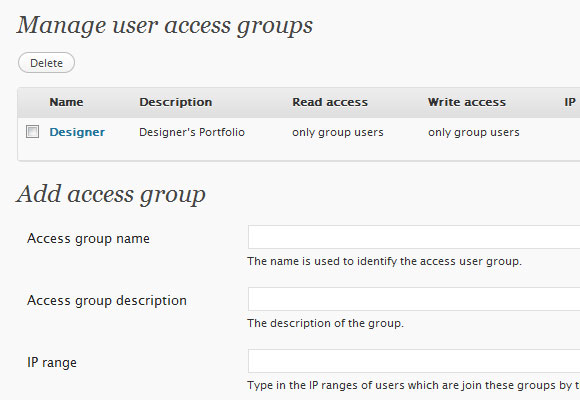
User Access Manager is useful if you need a member area or a private section at your blog. It will help to prevent unauthorized user to access restricted posts, pages or files.
WP CMS Post
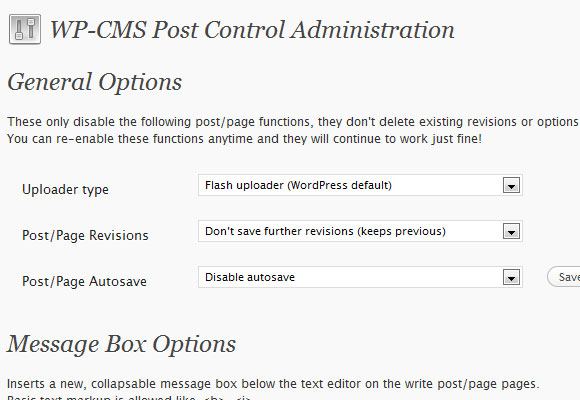
WP-CMS-Post not only allows you to hide unwanted items like custom fields, trackbacks, revisions etc. but also gives you a whole lot more control over how WordPress deals with creating content! This helps to make WordPress more CMS like, and allow you total customization of what authors see and use.
WP eCommerce
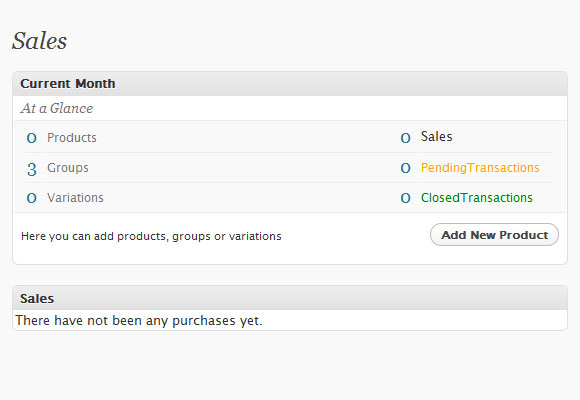
WP e-Commerce shopping cart plugin for WordPress is an elegant, easy to use, fully featured shopping cart application suitable for selling your products, services and fees online. This will come in useful if you want to sell something on your Blog or site; there is no need for a change in CMS.
cForm II
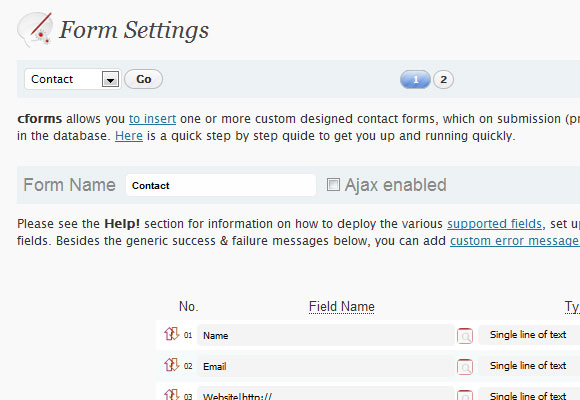
cForm II is a great and flexible contact form builder. It is a feature rich plugin, offering convenient deployment of multiple Ajax driven contact forms throughout your blog or even on the same page.
Tinymce Advanced
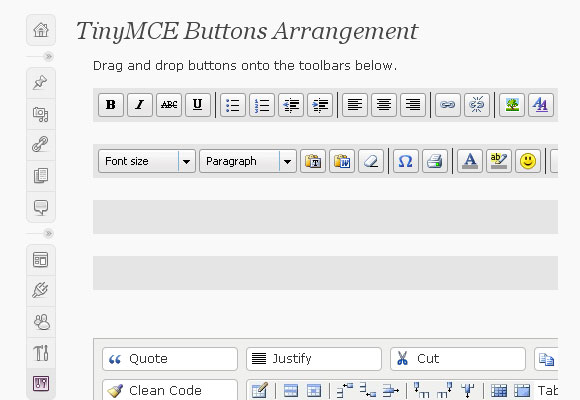
Tinymce Advanced will add 15 more plugins to the default TinyMCE. This will help the user that does not know much about HTML, to be able to draw table; insert break; search and replace and many more.
Showcase Of WordPress CMS Powered Sites
It's a surprise to see how creative designers or developers have custom WordPress blog system into a unique business site. Together with JavaScript and Flash, it has change the blog system into something so different that you won't believe it's powered by WordPress.
Why not take a look on some of the example of sites that have selected WordPress as their Content Management System. You can see the functionality of each site, provide some inspirational ideas of your selection of CMS and compare with other various CMS regarding the extend of WordPress capability.
expressivelyjOhO
expressivelyjOhO is a wedding photography site that has a photo gallery and blog to showcase their photographer's talents.
Newicemedia
New Ice Media is a design firm based in Los Angeles, California dealing with designs; illustrations; print and photography.
Flickout
FlickOut.com is a movie trailer site that quickly allows you to browse and view the latest released movies and upcoming trailers. It also allows you to locate the closest theater and purchase tickets online.
Badabingdesign
Badabingdesign is run by Joshua Schoenaker who is a web developer and web designer.
GTbicycles
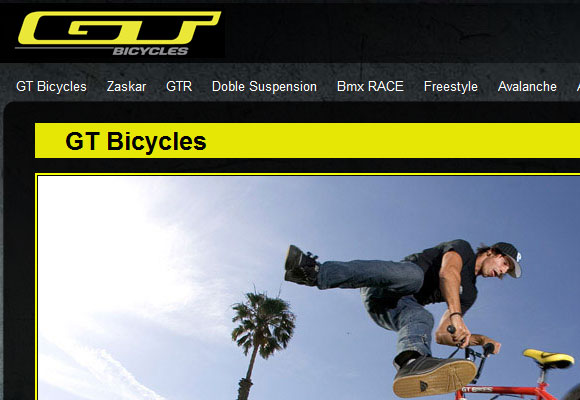
GTbicycles provides reviews and information about bicycles.
Twobelowzero
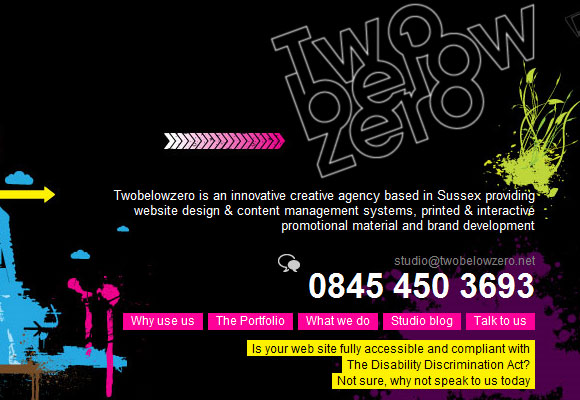
Twobelowzero is an innovative creative agency based in Sussex providing website design & content management systems, printed & interactive promotional material and brand development.
Sproutventure
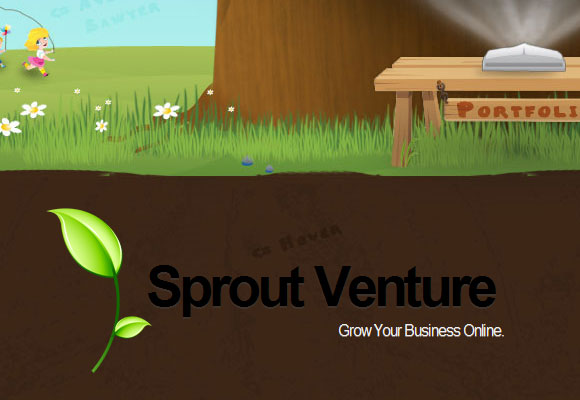
Sproutventure has a team of developers and designers focused on creating websites that enhance the visitor experience.
Superbtees
SuperbTees is a showcase of funny, original, and inspiring designs from artists that use t-shirts as a medium for expressing their creativity.

Friskdesign
Friskdesign is a small web studio in London run by Matt Hill who is a self employed web designer.
Pierre Estienne
Pierre-Estienne designs and manufactures contemporary jewelery with an edge by combining precious metals with other media like wood and resin. He also specializes in hand engraving.

Leemunroe
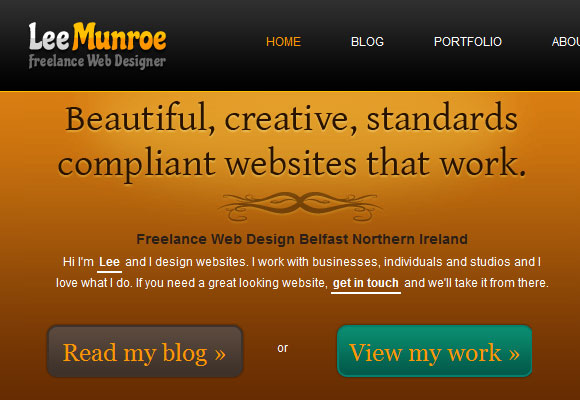
Lee Munroe is a freelance designer based in Northern Ireland and he designs beautiful websites that work.
Realfashion
Realfashion is a directory for models, photographers makeup artists and agencies.
Great Gorillas
Great Gorilla is an aid organization dedicated to help save gorillas.
Conclusion
After all, it's the matter of choosing the right tool for the job. WordPress is great for small business websites. Other CMS like Joomla or Drupal are also great for bigger websites, although it does not seem just as easy to skin as WordPress.
Lastly, remember it's always critical to define the goal for your site and know how it will transform along with business growth and scalability, as it will be crucial for you to select the most appropriate Content Management System.
Thanks for including my site. This post has some great plug-ins that I'm going try out today.
Thanks Again
Great post and thanks for including the Pierre-Estienne site which I designed.
I recently discovered the pods plugin which really takes Wordpress to the next level as a CMS.
Nice article. I've linked to it from the forum that I run, as we have a lot of WordPress fans :)
http://trim.su/0a49
Thanks for sharing!
More than welcome :)
This is just what I needed. WP eCommerce absolutely ROCKS! Good enough post that I have added it to my top list over at http://geek.michaelgrace.org/webnet/ By the way, the link to WP eCommerce is broken. I think you left off the h in http. ; )
Thank for pointing out. Fixed the link ;)
Thanks for fixing that. I wouldn't want anyone to miss out on WP eCommerce. By the way, it's kind of funny that almost everyone commenting has a gravatar but you still don't. Just sayin' ;)
No problem Mike! I've been contemplating what to display for my avatar. I certainly realized that such tiny icon could be useful to establish an individual presence on the web. Thanks for highlighting.
great article and very useful informations & plugins for wp cms.. thanks for post..
nice roundup and great resources thanks..
my Showcase Of WordPress CMS Powered Sites check: http://www.joyologo.com
To re-iterate Mike's comment, Pods is well worth a look for those wanting to create content types other than pages and posts within Wordpress.
what an awesome list, thanks for posting this. Wordpress is our favorite CMS.
Great list you have put together here. Flutter and the mention of Pods in the comments are really cool.
Cool. I found some very interesting plugins in this post. Thank you very much.
Wordpress? never heard of it...
You may want to learn more about it at here. So what did you use for your CMS?
Great post - Daniel Evans Official website is a Wordpress build - http://danielevansofficial.com
Great resource! You listed everything anyone could ever need to use WordPress as a CMS. Well done.
I think your title should have used 'anatomy' instead of 'autopsy'. I got all excited, thought this article was gonna crawl through an average page load of wordpress. This article is all about what goes on the surface of the user interface instead of what I was expecting. :/
Perhaps I could indulge deeper in the WordPress technical and backend aspect. Thanks for providing me with a food for thought for my future post but It did caught your attention though. :>
I'm relieved this is not an anti-Wordpress blog! The word "Autopsy" suggested that its time as a CMS is over and you are looking at why it failed.
Hi Martin, the reason I select the word "autopsy" because I want to provide an analysis of WordPress after its success. Another word, the true cause of WordPress astounding "achievement".
Wow... Marvelous resource. One of the best articles that I've seen about Wordpress as CMS. Thanks a lot!
Feed assigned.
Man... this is huge...
great post, and thanks for sharing.
Great Article, wordpress have all the capabilities to be used as a CMS. With addition to the plugins listed above it will increase its functionality.
I will keep these plugins in my mind in future projects
I wish I got this before I attempted to convert Wordpress as a CMS on my first attempt at wordpress :) It's good to get your hands dirty though, as I think I understand now how to more efficiently convert it a CMS quite easily. I hope WP3 is a step in that direction because the way pages are implemented is quite awkward.
Excellent site,Thanks for this great post - I will be sure to check out your blog more often.Just subscribed to your RSS feed..
Haha, you are kidding, aren't you?
All these plugins are imitating what a good CMS brings out of the box and this article gives the impression that WP is re-inventing the world???
That is so poor!
But I forgot, who eats Hamburgers always wants to eats Hamburgers ;=)
Yo Bro'
This is one of the best lists I have found.
Thanks so much ;)
teşekkürler
I've already been using a few of the plugins you list in the article. But I found many more that I will need in my next personal project.
I'm really loving WP as a CMS and used PageMash in a 55 page project with up to 4 levels of navigation.
I'm really impressed how WP developed a wide userbase by starting out as an easy-to-use blogging platform, then expanded their features, either within or by 3rd party plugins.
I've tried using Drupal and Joomla, but they seem clunky and hard to work with.
Thanks again for this article. I will put it to good use. ;)
Hi, nice post!
Another useful plugin is WP-POST-THUMBNAIL, a plugin that friendly manage custom fields and insert a control to upload, crop and resize images directly on the post add/edit page.
Very useful to create product ou portfolio pages, width customized sizes and aspect size thumbnail withou copy and paste image url.
http://www.seoadsensethemes.com/wp-post-thumbnail-wordpress-plugin/
Thanks for the useful info. It’s so interesting
The Autopsy Of WordPress As CMS With 25 Great WP Plugins & Designs | Onextrapixel - Showcasing Web Treats Without Hitch great article thank you.
what a fab web site, please keep up the good work as the internet really needs more good site like this.
Yep - I would agree with that.. Thanks for the line.
Can i get a one small photo from your site?
Pett
Hi Pett, you can publish photos or images from OXP however we'll appreciate if you can provide a link back.
thanks for this page.
Thank you an interesting theme
Great content, very helpfull. The web needs more great sites like this.
Super post, Need to mark it on Digg
Rufor
Good solution, thanks
Hmm... I read blogs on a similar topic, but i never visited your blog. I added it to favorites and i'll be your
constant reader.
Very good article, nice piece of information, I really like it. Thank you for sharing.
Great stuff. I was banging me head trying to find a author permission plug in an here was a list of everything else I was missing
thanks
Great article. What would you do if you've been handed a site with a Wordpress CMS that's a mess? Just a dumping ground for files... no structure, no SEO, really difficult to search. Am new to web design and just helping out a friend with a fairly small but growing Wordpress CMS. Can these plug-ins be plugged into something that's already there? I don't know how good Wordpress could be but I've seen much much more user-friendly CMSs...? Would really appreciate some wisdom...
Thanks
Wow, this can a long discussion if you want to know how to handle a messy WordPress CMS.
Basically, it all depends on the requirements, the goals, the plugin being used or is there a need to write some plugin to hook into WordPress for your CMS.
Coming to data, are all the data at their right section? ie. using pages for content that you don't update often and posts for frequent updates.
Yes, all plugin can be plug into something that's already there, but do note that some plugins do not support certain version of WordPress.
The benefit using WordPress as CMS compare to other user-friendly CMS out there is that there are tons of free plugins for WordPress. Most of the time you can find a plugin that suit your need.
Hope that helps. :)
As a WP novice, I am amazed at the how powerful it is with such a simple interface. But, for use as a CMS, WordPress has not yet begun. What a thing it would be if WP could bring this same simplicity to the CMS realm. The next killer app. Here's my $0.02 on why WP isn't a CMS yet, but it would be cool if it were.
Great article. Thanks for sharing your experience.
Hi,
Thank you for sharing this information. It's extremely helpful for newbies or people who are trying to improve their current WP sites and or who are trying to understand as to why they should use WP over other CMS products such as joomla / drupal.
A nice CMS product that I came across yesterday was concrete cms, free tool too.
There are a large number of websites which are running off the WP platform, the problem for many beginners is how the heck do we get that far! Seems to be one extreme to another within the WP environment in regards to what can be achieved.
I think what you have done here is excellent and I think you used the correct phrase for your title. What you have described here provides an excellent insight as to what can be used to transform the out the box WP solution into a tool which can pretty much meet most requirements.
It would be good to see how a tutorial or a "autopsy" of a current, well developed brochure website can be achieved on a step by step basis, showing what extra plugins are required to implement it, then obviously, people who are learning about it, can use this tutorial and their creativeness to implement it.
Long reply, but thought I would add my 2 pence into this.
Excellent article.
Thanks again for sharing, it's people such as yourself which aid newbies and even experienced people to bridge the gap between ideas and actually implementing something successfully meeting their scope.
Once WP can be used fully as a CMS without too many tweaks, I will be using it for all my future projects.
Thanks,
Gabi.
Thanks Gabi, it's people like you that keep us motivated in doing things that we enjoyed.
More than welcome buddy. People are always more than happy to
criticise peoples comments/thoughts, I like to provide praise where it's due :)
Gabi
I personally hate WordPress. I do not understand why anyone would actually choose to use it! It looks lame, all the WP sites look similar, it requires massive plugins to function at all, it's nearly impossible to upgrade (why does it require upgrading?) WAY TOO complex and did I mention it sucks??? It is not customizable to suit todays functions. Blogger is drag and drop simple, has counters, links to everyone elses, doesn't require massive amounts of tweaking or plugins and does not require you to be a computer geek to make it work day to day!!!
DID I MENTION HOW MUCH I HATE WORDPRESS???
Not quite sure what's the point of you writing a reply on here if you are just going to say it's rubbish. Nice selection of replies on here and bam, yours........
Sometimes people hate things because of a lack of understanding..... This is clearly emphasised by saying that all wordpress websites look the same.
I wonder what you use for a CMS, I hope it's not one of these "I build my own, from scratch" comments.
:)
Typically, most websites look the same.
Logo
Menu
Content
Sidebar
Footer
Also typically, most Wordpress themes look very similar. This is not a limitation of Wordpress, but of the designer/coder.
Wordpress itself does not limit the design. You can create whatever web layout you want and easily port it into a Wordpress theme.
Upgrading is a bad thing? Tell that to Adobe, Microsoft, the auto industry, the maker of your iPod and iPhone, etc.
Too many plugins can get to be a bad thing with Wordpress, I agree. But that doesn't stop you from coding functions within a theme. That method is usually more stable than using addons for added features.
In my perspective, Blogger is fine for an entry-level user. But if you're wanting more custom features, you need something like Wordpress.
Great post, thanks, I was looking for info on WP as CMS.
I guess you will be interested by wats, a plugin intended to provide WP with features of a trouble ticket system :
http://www.lautre-monde.fr/wats-going-on/
Another CMS related plugin! ;)
just let love be
super sache nutze meine beiden seiten auch als wordpress cms nutze aber nicht diese plugins weil man diese nicht wirklich braucht kann mann aber. http://www.blk-frauen.de
Hey mate.
Ive been using wordpress as a cms for a while now but i didnt even know some of these plugins existed. Thank you! Im going to use them on my next web design job
I am a wp newbie. I was wondering if you could tell me how i would make unique images (not random) appear on page sidebars. I am using wp as a cms.
Thanks for help in advance.
Mark
Hey Mark,
I believe using a Widget would be the easiest. Go to Appearance > Widget in your admin. Then drag a Text Widget to one of your sidebars on the right.
In that Text Widget, you'd put your image code...
[img src="image.jpg" /]
You would make multiple sidebars, then use the following plugin to show specific sidebars on certain pages.
http://wordpress.org/extend/plugins/widget-context/
Or you could use the Thesis theme that has this functionality built in. But it costs around $80.
Hi guys,
I’m very new to Wordpress, but am impressed by the plugins. However, slightly off-topic, but I’ve created a CMS that contains a few of these features either as standard, or as a plugin.
An online demo and a free, downloadable version will be available very soon and can be seen at http://scottjarvis.com. I’d be interested to know how it compares for anyone who is familiar with wordpress. Thanks.
I have heard a lot about new development of wordpress to develop CMS sites , always they showed the pros but you have highlighted the cons. My be wordpress is being used as CMS but to web developers Joomla is still the favorite platform. Certainly it is my notion.
Thanks for such a good presentation on wordpress platform.
Larkin
Thanks for including Role Scoper in this list.
Readers here should also appreciate my just-completed Revisionary plugin. It allows for moderated revisions to published posts and pages. Also enables fully qualified authors / editors to schedule changes for future publication.