Facebook Like

us on our Facebook Page to receive more updates.

The Importance Of Wireframes In Web Design And 9 Tools To Create Wireframes

“Good design must necessarily, in my opinion, have an impact on people’s lives, no matter how seemingly small. Good design changes things.”
Garr Reynolds

Designing wireframes the right way the first time costs no more than doing it the wrong way. Creating a paper prototype adds no cost either; simply print out the wireframe diagrams for the pages a visitor will use to complete the tasks most closely related to achieving his goals and meeting the site's business objectives.

Web Prototyping saves costs of any marketing communication that may be necessary to undo brand damage resulting from a poorly functioning web site and a frustrating user experience. Expensive site redesigns are often undertaken to correct those kinds of problems. Adding a few days to create a wireframe and testing a prototype ensures that the redesigned site won't introduce any new causes for user frustration or further erosion of brand equity.

Importance Of Wireframes And Tools To Create Wireframes

Of course, a designer doesn’t have to reinvent the wheel with each new wire frame diagram. Every page in a site will share some elements, even when the pages don’t follow the same template.

These common elements are the must-have items, which, if absent, can cause visitors to experience frustration and resentment that may linger long after they’ve moved on to other sites. Alienating visitors and creating a negative brand impression will not help the site-owning organisation achieve its business goals, nor will it save money. For example, every page needs clearly labelled navigation so the visitor can easily move from one page to the next and from one section of the site to another without having to go back to the home page.

The Wireframe

Wireframe Example

Understanding how to work with wireframes is the key to creating a success site prototype.

The wireframe diagram illustrates the layout of a web page. Using different shapes (such as boxes, ovals, and diamonds) to represent content, functional, and navigational elements, these shapes displays their placement on the page. HTML coders use the diagrams to “wire” each page, connecting links, attaching content, and so on.
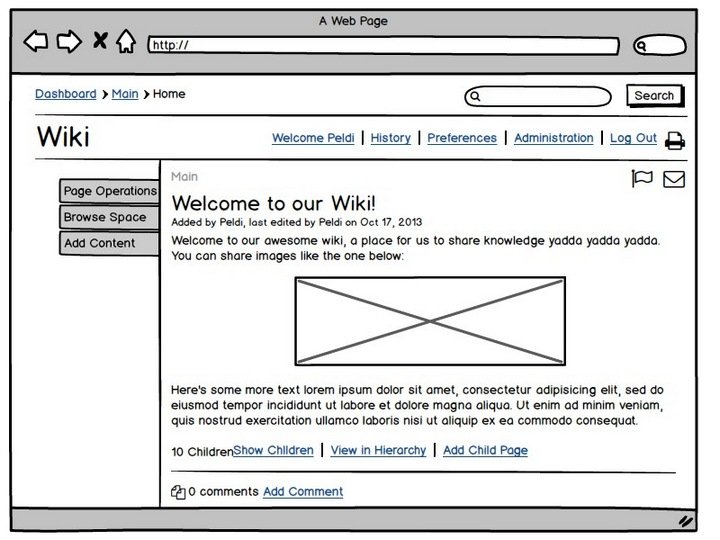
Wireframe Webstyleguide

Visual designers use the wireframe as the basis for renderings that show the hierarchical importance and location of the elements (with each general section of the page labelled); free of any potentially distracting design treatments.

Shapes used in wireframes

The use of simple shapes lets you focus on the information design first, to make sure it meets users needs, before moving on to the pretty pictures. For an existing site, wireframes are abstracted from screen shots, with new content, functional, and navigational elements sketched in.

Wireframe vs. Visual Design

Usually, decision-makers in the site-owning organisation will want to see visual designs by this time. I encourage you to be brave and stall if necessary, but in any event, resist temptation to yield to this request.

Why?

One very important reason is to save money. Why spend time on graphics before the underlying information design is complete?

Equally important, colours, fonts and stylistic treatments of logos and other graphical elements can invoke emotional responses (“I hate this pink”; “I love that blue”; “That version of the logo makes me ill”) that distract from the task of determining the best information design for the page.
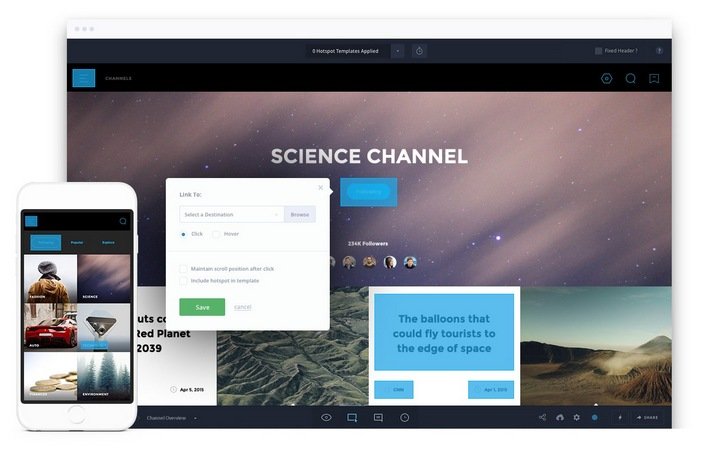
Example of wireframe to mockup

A wireframe diagram lets everybody focus on what’s important at this step: clearly understanding what goes on each page, where it goes, and why it goes there, so you can achieve the best overall balance and structure for each page. A wireframe is a sketch of a page-layout idea. The sketch may be rendered in the computer using an illustration application or hand-drawn on paper. Either method is fine, as long as it clearly communicates your ideas.

The information design will evolve as wireframe diagrams change, incorporating results from the usability test at the end of this step, to reflect placement of page elements in ways that better meet user needs. Keeping the information design flexible at this stage will help you create a more positive brand experience over the long term, so you don’t want anyone to develop partisan attachments to a particular look this early in the game.

Note for Visual Designers

At this point in the process, visual designers should conduct exploratory meetings to understand the client’s visual preferences and the visual elements of the client’s brand. Wait until wireframes are set before showing any visual-design treatments of the pages to the client.

Note for Clients

For clients who insist on seeing visuals earlier rather than later, ask visual designers to design page mock-ups representing possible colours, imagery, its look and feel, as well as possible styles of what is being considered at this stage. However, you should do this only if absolutely necessary – that is, if they won’t take no for an answer – and be sure to emphasize that these mock-ups, in no way, reflects the final designs (repeat this warning early and often).

Uwe Thimel's version of a wireframe

Municipal wireframe by Uwe Thimel

Caution the people in the site-owning organisation against developing any attachments to these mock-ups, because such attachments will make it difficult to change the visual design later on. Chances are these people will not be happy when they see the final design with text, links and information added to it. Focusing only on wireframes at this stage helps you avoid building unrealistic expectations about the site’s final look and feel, because having maximum flexibility to evolve the site’s information design is necessary.

9 Application Tools To Create Wireframes Digitally

Traditionally, interactive web designers use pencil and paper or Photoshop to do a mock-up. However, in recent years, there has been a handful of websites that allow designers to create prototypes, wireframes or sitemaps digitally. Here are 9 tools that you can consider using.

1. Balsamiq

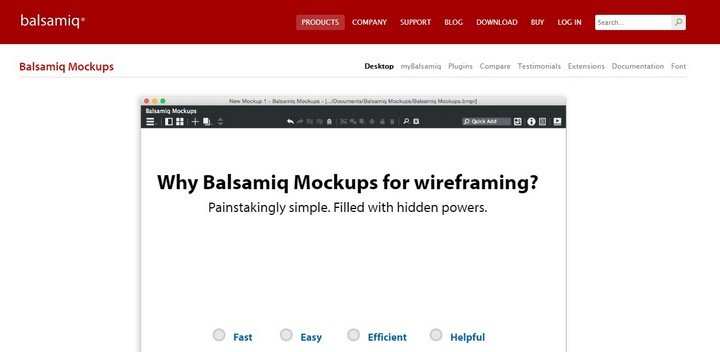
Balsamiq Mockups Tool

Using BALSAMIQ mockups gives you the feeling like you are drawing, but it's digital, so you can tweak and rearrange the controls easily, and the end result is much cleaner. Teams can come up with a design and iterate over it in real-time in the course of a meeting.

2. iPlotz

iPlotz Wireframe Maker

With iPlotz you can create clickable, navigable wireframes to create the experience of a real website or software application. You can also invite others to comment on the designs, and once ready, you can manage the tasks for developers and designers to build the project.

3. Pencil Project

Pencil Project GUI Wireframe

The PENCIL PROJECT's unique mission is to build a free and open source tool for making diagrams and GUI prototyping that everyone can use.

4. templatr

Templatr Mockup Creator

templatr is a Template Generator, with which you can create an individual design for your Blog online. You need no knowledge of HTML or any special Software. All you need is a Browser, maybe a little creativity and a small idea of how the finished design should look. You can download the finished Template with a simple click.

5. Flair Builder

Flair Builder Interactive Mockup Creator

FlairBuilder is a cross-platform tool for rapid authoring of interactive wireframes and user interface prototypes. It comes with a palette of common fully functional components. Your prototypes will have interaction built-in from the first moment.

6. GUI Design Studio

Caretta Prototype Tool

GUI Design Studio is a fully featured application user interface design and rapid prototyping tool that requires absolutely no coding. It is equally suitable for creating desktop, mobile and Website application designs.

7. Proto Share

Protoshare Wire frame tool

PROTOSHARE makes it easy to create and then reuse templates, giving you full creative control and efficiency.

8. Serena

Serena Web Application Development Company

PROTOTYPE COMPOSER is a completely new way of gathering requirements. Prototype Composer makes it possible to see how an application will look and function before any code is even written. Instead of endless text documents, Prototype Composer makes it easy for business users and analysts to collaborate on requirements by building simple, high-fidelity prototypes that simulate a working application.

9. DUB

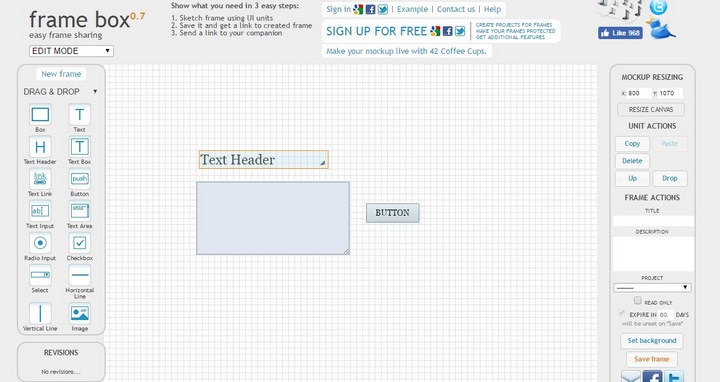
Denim Wireframe Tool

DENIM is a system that helps web site designers in the early stages of design. DENIM supports sketching input, allows design at different refinement levels, and unifies the levels through zooming.

Wireframing diagrams use simple shapes to represent the content functions and navigation on a page. Use them to design the best relationships among page elements for efficient information design that will meet user needs and achieve the site's business goals. I hope this post gives you a better understanding of the importance of wireframing, please stay tune for part 2!

Posted on: July 15th, 2009

Charlotte

Charlotte’s interest is in web interface and design as well as motion graphics. Her absorption with her work is mostly due to her attention to detail and passion for the world of design. Winding down after work, which consumes much of her time; she enjoys travelling, exploring new places, gastronomy, and fashion.

Share This Article

  • Share
  • Delicious
  • Stumble Upon

122 Comments & 71 Pingbacks | Add a Comment

  1. Peter Severin
    July 15, 2009 at 5:04 am

    Nice article. I would also like to mention WireframeSketcher. It's a wireframing plugin for Eclipse that can be used with most of the Eclipse-based web-development tools like Aptana Studio, MyEclipse and Zend Studio. More details here:
    http://wireframesketcher.com

  2. July 15, 2009 at 5:15 am

    Surprised to see that Omni Group's Omnigraffle was left off this list. I swear by Omnigraffle for wireframes -- the editing tools are top notch for conceptualizing and moving around pieces of wireframe UI.

    • Ellips
      September 2, 2009 at 5:31 pm

      I assume Omnigraffle only works on Macintosh computers.

  3. July 15, 2009 at 5:21 am

    +1 for Graffle, I Have only recently switched to it from Illustrator, makes wireframing a breeze!

  4. July 15, 2009 at 5:51 am

    OmniGraffle is a brilliant tool. Highly recommended.

  5. July 15, 2009 at 5:57 am

    I've used Balsamiq, Protoshare and Serena to create wireframes - and my favourite by a million miles is Balsamiq!

    It feels less stuffy and corporate than the other two I've used, and seems to provide a good starting point for discussions with both creatives and clients.

  6. July 15, 2009 at 6:20 am

    Am a long time Illustrator user, and it used to be my weapon of choice, but over the last couple years I've taken to using Indesign for wireframing needs.

    My reasoning? Basically, it had everything I required. Drawing tools, type styles, object styles, reusable objects, master pages, multiple pages, easy export to PDF... plus I already knew how to use it. Depending on how detailed we get, the wireframes file can even be a good start for the visual design, utilizing existing styles, grids etc.

    Typically our method of presenting wireframes is in the form of working sessions with the client. A simple process of walking through the concepts of annotated wireframes, soliciting feedback along the way. In most cases that's sufficient to get at what we need.

    So I never really had cause to use any interactivity features in Indesign, but it does have the potential to turn a PDF into a prototype if need be. Likely would be a pretty manual process however, a shortfall for some in using Indesign over other more specialized tools.

    @jeffswartz

  7. July 15, 2009 at 6:56 am

    Oh no! You forgot OmniGraffle. Nice article, but OmniGraffle should be at the top of the list. Amazing software.

  8. July 15, 2009 at 7:43 am

    Omnigraffle is the best !

    A lot of great points where made here and will prove to be a valuable resource for developing your next project.

    i created a short tour/demo of how I do this using omni graffle hope it helps...

    http://www.nopun.com/team/webprocess_01_schemtaic_or_ScketchPad/webprocess_%200Sm_700x800001.swf

    • Calla
      July 15, 2009 at 10:35 am

      Noel,
      Thanks so much for that demo--I was just thinking, "wouldn't it be great if someone would do a video of the process..." and voila, there it was!

    • July 16, 2009 at 8:20 am

      @Noel - that is super helpful. I'm with @Calla, this is exactly what I was looking for. I've tinkered with OmniGraffle before, but didn't understand its use.

      Thanks for the link!

  9. Marc
    July 15, 2009 at 7:59 am

    Can't you people get it that OmniGraffle is a MAC only software?
    There's a world outside Apple you know..even for designers.

    • July 15, 2009 at 8:15 am

      just relax... it's gonna be alright

      • Lynne
        July 15, 2009 at 6:07 pm

        @Duncan Thanks, I actually Lol'd at that :)

    • July 15, 2009 at 9:55 pm

      You're not serious, are you? Designers who don't use Mac?

      I don't believe it.

      • Marc
        July 15, 2009 at 10:28 pm

        Of course not.
        I just wanted to amuse Duncan and provide a Lol opportunity for Lynne.
        Mission accomplished.

  10. July 15, 2009 at 10:09 am

    I love to do wire framing in web design using Adobe Illustrator, even on designing a logo.

  11. Charlotte
    July 15, 2009 at 1:12 pm

    It's great to see all these input and valuable comments from everyone. I've seen many designers still using Photoshop or Illustrator to create their wireframes or mockups. Some still use pencil and paper because their thoughts follow better using traditional mediums.

    At the end of the day, it really depends which medium suits you best and allows you to produce the most creative idea for your client.

  12. July 15, 2009 at 3:48 pm

    I have used lovelycharts.com for both wireframing and flowcharting.

  13. Chaz
    July 15, 2009 at 4:30 pm

    Great article. I think Balsamiq is a great tool. I have also recently discovered Creately - a browser based tool for wireframing and just about any other type of diagrams that you can collaborate on.

    http://creately.com

  14. July 15, 2009 at 4:37 pm

    IMHO there is a need to show interaction. It's online, it's interactive! Exporting the prototype as HTML is key. Neither Illustrator nor Omni Graffle are really appropriate. They might illustrate one webpage, but the clients need to experience the whole site with lots of pages, states, rights. Therefore: OverSite or Axure.

    • July 15, 2009 at 4:47 pm

      OmniGraffle allows you to create links to other pages within the document. You can then export the wireframe as a PDF that people can click around as if it were a web site.
      You can also share layers across canvases, so you can make site-wide and secondary navigation systems. You can then simply email a PDF to clients and team members.

  15. July 15, 2009 at 6:57 pm

    We use to work with http://www.axure.com .
    Part of the colleagues from creative use Xara and Indesign .

  16. Robert Mundell
    July 15, 2009 at 8:47 pm

    I'm using ForeUI (www.foreui.com). It can create skinnable and interactive wireframes, then run them in web browser.

  17. July 15, 2009 at 8:47 pm

    What a Great article! You guys commented of using Photoshop or Illustrator and other online tools to create wireframes or mockups, what about Fireworks? I have used Fireworks since it's first version back in 1997, 98... For me it's the best of all, now I am using CS4 with is the easiest version in my opinion.

  18. Jamille Dazzi
    July 15, 2009 at 9:07 pm

    How about AXURE!?
    http://www.axure.com

    This is the best prototyping tool available!

  19. July 15, 2009 at 9:44 pm

    Have use Balsamiq, IPlotz, Pencil and Omnigraffle Pro
    All are good product...
    I favor Balsamiq for use of use and for their "excellent" customer service,,,

  20. Anthony
    July 15, 2009 at 10:56 pm

    +1 to ForeUI, very good prototyping tool.

  21. Chuck
    July 15, 2009 at 11:22 pm

    Am I crazy to still be using HTML as a wireframing tool?

    • Charlotte
      July 15, 2009 at 11:24 pm

      How do you do that? CSS?

      • Chuck
        July 15, 2009 at 11:57 pm

        Yes, with Plain Jane HTML. It can be interactive (to show to clients) and then reused right away by the UI developer(s). Does anyone else do this? Or if you used to do it and moved onto one of the tools here, please speak up. Thanks.

    • jerryork
      September 8, 2009 at 9:15 pm

      Chuck
      no, you are not the only one using HTML as a wireframing tool. I find it more flexible and efficient than any other tool.

      kudos!

  22. Dan
    July 15, 2009 at 11:36 pm

    Am I the only person using Visio?

    • February 20, 2010 at 4:59 am

      Yes :P

  23. July 15, 2009 at 11:50 pm

    Hi Charlotte,
    Thanks for including ProtoShare on your list! We created the product from working with our own clients and collaborating with them on wireframes in the early stages of developing new websites. To help them better understand the process of how the final website would work, we then made the wireframes clickable. This resulted in better websites that fit their needs in less time. As you mentioned, they don't even have to be that detailed. A couple extra days on planning/wireframing can save several days in the latter part of the process.

    For clients who try to skip ahead to design: I think one can use your words to explain the reason for this step:

    "A wireframe diagrams lets everybody focus on what’s important at this step: clearly understanding what goes on each page, where it goes, and why it goes there, so you can achieve the best overall balance and structure for each page. A wireframe is a sketch of a page-layout idea."

    Great post,
    Andrea

  24. Bob B.
    July 16, 2009 at 12:36 am

    Will everyone laugh if I say PowerPoint can be used to make good wireframes?

    • Lynne
      July 16, 2009 at 12:41 am

      No laughing here Bob! I have a friend doing UI for touch screen kiosks and I was shocked when he told me the gorgeous wireframes he was showing me were made using PPT for Office 2007. They looked great. Honestly it's all about the skill and vision of the person creating the wireframes. I've seen some pretty sexy ones that were made using graph paper and a Sharpie :)

    • February 20, 2010 at 5:00 am

      Bwahahahahahahahahahaha

  25. July 16, 2009 at 2:59 am

    I also use PowerPoint, but rarely (only when it needs to fancy). Otherwise, paper & markers :)

  26. Sanni
    July 16, 2009 at 8:35 am

    ForeUI ++, it can create wireframe with any fidelity.

  27. July 16, 2009 at 9:29 am

    i think iplotz is the best

    • August 8, 2009 at 6:19 am
    • ApacheTiger
      March 6, 2010 at 6:07 am

      I have started using iPlotz. I am a Linux laptop user and a XP desktop user. iPlotz runs on both so it allows me to move from one platform to the other. I also use Aptana Studio on both systems, so I have to admit after reading this article I want to look at wireframesketcher as an eclipse plugin as well. But iPlotz offers a lot for a FREE application. Along with wireframes, it allows you to create projects, project tasks and tracks percentage complete for each task for a more project based approach to wireframing. And best of all, iPlotz is FREE!

  28. July 16, 2009 at 1:24 pm

    Yes, I've also used Iplotz and it is great tool.

  29. Abby Rule
    July 16, 2009 at 5:33 pm

    What about Axure? Has anyone used this and how does it compare to the others?

  30. July 16, 2009 at 5:43 pm

    Nice post, great insight about the usage of wire frames,
    i some times do a balancing act. Do it manually with a pencil or just go for illustrator.

  31. July 16, 2009 at 8:55 pm

    Here's a comprehensive list of desktop and AIR apps for wireframing that might help complete the picture for those comparing their options: http://konigi.com/wiki/wireframes

  32. Charlotte
    July 16, 2009 at 11:38 pm

    Thanks Michael, you've got a pretty broad list there!

  33. Wendy
    July 17, 2009 at 12:27 am

    Here is another list of wireframing tools, which has summary description for each tool:
    http://c2.com/cgi/wiki?GuiPrototypingTools

    Our company has bought Balsamiq, Axure and ForeUI, here is how we think about them:

    * Balsamiq is very good for creating low fidelity and static wireframes, since it has so many predefined templates.

    * Axure is good at creating hi fi and interactive wireframes, and generate document as well. But it is a little complex to use, people need to be trianed before really working on it.

    * ForeUI can create skinnable wireframes. We can switch the fidelity of wireframe by changing its UI theme. It also supports interactive wireframing, so it becomes our favorite tool.

  34. July 21, 2009 at 7:52 pm

    Wireframes are the basic of efficient web designing. Thank for this article.

  35. July 22, 2009 at 2:58 am

    The best app is the one you like.

  36. Constantine
    July 22, 2009 at 12:33 pm

    OmniGraffle ohhhh, totals awesome tool.

    Great Post. !!

    Constantine

  37. July 22, 2009 at 10:28 pm

    I'm currently working in Axure, as it allows both MS Word specs and wireframe prototype demos to be output from the same effort. In my experience, thumbs down on PDFs; simply can't do very much in a clear way. Need to convey concepts clearly to:

    Internal Business Team
    Internal Tech Resources
    Designers
    External Clients

    Clicking is believing...

  38. Flavio
    July 23, 2009 at 10:46 am

    Hi,

    We use Axure, it's a good tools.

    I honestly think it's should be on that list.

    []'s

  39. Sandeep
    July 23, 2009 at 4:02 pm

    very nice!

  40. victor
    July 23, 2009 at 7:25 pm

    hi,

    You missed the granddaddy http://www.irise.com. Large learning curve and $$$ but cool.

    Another tool I like very much is http://www.simulify.com which is also pretty good in sharing.

    • Matic
      July 27, 2009 at 8:50 pm

      Simulify has a very bad interface. Protoshare looks better.

  41. July 24, 2009 at 4:12 am

    +1 for InDesign - *Especially* if your documentation has detailed annotations, or additional text (as it's formatting is obviously it's strength) - and it can integrate nicely with other deliverables done in InDesign (user flows, stories, interaction models, or even personas or competitive analyses).

    And like another post said, it can do all the vector stuff you could want, with libraries, templates and components.

    If I just needed a simple wireframe tool, then I really like Balsamiq. But I like InDesign for an 'integrated' solution for a variety of deliverables I produce - user flows, interaction modeling and even personas and competitive analyses.

    Chris
    @livebysatellite

  42. July 25, 2009 at 1:06 am

    +1 for Graffle, this one's perfect for our needs.

  43. July 25, 2009 at 1:11 am

    Oh, well, I feel already like drowning. Very creative websites, beautiful colors.

  44. Leslie Marks
    July 30, 2009 at 5:09 am

    We just completed an exhaustive analysis of wireframes and prototype solutions. We learned a lot:

    1) Simple mockups are only one piece of the pie. These tools are valuable, but are hard to integrate into formal requirements specs at large company IT shops.

    2) Axure (http://www.axure.com) is a really good solution for prototyping, at a low cost.

    3) Blueprint (http://www.blueprintsys.com) offers the best solution, by far, for integrating prototypes with complete requirements.

    This article should talk about integration of prototypes with requirements...

  45. July 30, 2009 at 6:59 am

    Thank you for mentioning Garr Reynolds in your post. I work for Peachpit Press and thought you and your readers might be interested in knowing that he just released his first online streaming video, Presentation Zen: The Video, where he expands on the ideas presented in his book and blog.

  46. Matic
    August 8, 2009 at 12:39 am

    Just in beta but the interface looks nice http://hello.hotgloo.com

    • August 15, 2009 at 4:06 am

      Glad you mentioned hotgloo.com. I found that it was an excelent product, really pro.

  47. Jarod
    August 13, 2009 at 2:53 am

    Do any of these apps "remember" data a user has entered? I.e. I'm working a user sign-up process, and I want the prototype to "remember" the Name that the user has entered on page 1. That way, when they're done signing up, and they reach their profile page, they'll see their Name filled in the appropriate places. Anyone know of any app that can do this?

    • September 2, 2009 at 12:37 pm

      Axure RP does that with its persistent variables. It's probably the best tool for high interactive fidelity prototyping amongst all those mentioned here.

      On another note, how can an article on wireframing omit iRise, Omnigraffle and Axure?

      • Andy Walker
        September 2, 2009 at 7:30 pm

        Indeed Axure does incorporate global variables, however there is a finite number that it can handle.

        I found this to be a big problem when creating a prototype for a large e-commerce site.

        Short of coding a bespoke prototype, I haven't yet found an app which has sufficient support for variables.

    • September 2, 2009 at 8:17 pm

      hi,
      try http://simulify.com. It has full support for variables, which you can add in the clipboard and can be used from one page to another.

  48. August 14, 2009 at 4:03 pm

    Very advanced and complete article about Wireframes. I agree that those frames are the most important when it comes to projecting own website. It is just like in a newspaper where we have some space that need to be filled with something that will match there. Without frames there would be complete chaos and no specific design would be possible (that is my opinion).I like projecting the frames first because there is always time to fill them with specific content and the whole site design is something earlier. I understand this process like building concrete under high building.

  49. August 17, 2009 at 8:35 pm

    Nice list, Thanks for sharing.

  50. August 21, 2009 at 10:02 am

    GREAT overview! Very clear post!

    I would have to add that paper prototyping is being replaced by http://www.MagneticPrototyping.com very fast.

    Balsamiq is my fav software tool for wireframes!

    -E

  51. August 25, 2009 at 11:38 pm

    Great post and some really fantastic links here -- special thanks: @onextrapixel @wendy @Efraim, etc.

  52. August 26, 2009 at 9:14 pm

    Another tool for digital wireframes is WireframeSketcher: http://wireframesketcher.com . It's a plugin for Eclipse but it also works in Aptana, Zend Studio and even FlexBuilder.

    Apart from wireframes, WireframeSketcher also lets you create storyboards to model user interface interactivity. Some other interesting features include master components and widget styling with a wiki-like syntax.

    Being an Eclipse plugin, this tool works equally well on Mac OS X, Linux and Windows. And you get for free source version control and projects.

  53. Ryan Sims
    August 28, 2009 at 2:10 am

    Omnigraffle is one of the best tools to do this work on the Mac. There's an amazing list of stencils (from Mac to Yahoo to iPhone) that you can plug in here. I can't believe it didn't make your list.

  54. August 30, 2009 at 7:06 pm

    I'm amazed Axure wasn't mentioned in the article.

  55. September 2, 2009 at 1:43 pm

    very interesting and very usefull. thanks

  56. Tommi Luhtanen
    September 2, 2009 at 4:02 pm

    Excellent article, people!

    I would like add something: Adobe FireWorks does a great job of wireframing and you can even export a working prototype with rollovers.

    http://adobe.com/products/fireworks/

    And it's been around since Macromedia days. Its CSS Export also got a lot better with the CS4 upgrade.

    -Tommi

  57. Rebecca
    September 5, 2009 at 12:43 am

    Balsamiq and Fireworks work for me....
    nice post.

  58. September 12, 2009 at 6:55 pm

    As soon as I stumbled upon this article I felt I must mention Microsoft Expression Blend. It comes with a new storyboarding feature called SketchFlow where you can create interactive wireframes. The user interface controls (textboxes, buttons) in this mode even come in "wireframe flavor" where they look exactly like what's in that picture in this article under the heading "The Wireframe", except that these controls are fully-functional. There was a great demonstration of this at MIX 09 at http://videos.visitmix.com/MIX09/C01F

    • November 14, 2009 at 9:36 pm

      I was looking at MS Expression Blend. One of other interesting features is it supports WCF(?) that appears to feed into .net based desktop applications.

  59. September 12, 2009 at 6:59 pm

    Have seen Axure, too. Definitely the high-end professional standard for some.

  60. September 27, 2009 at 1:26 am

    definitely a good read.
    great tips for beginner web designer.

  61. October 25, 2009 at 4:36 am

    I just did a wireframe with InDesign, but need to make drop down menus... Do any of the suggested programs do that? I avoided Fireworks because you can't make pdfs of the wireframe... and I thought that'd be useful. Thoughts?

    • October 25, 2009 at 5:39 am

      @Todd Dawson

      Actually, Fireworks has been able to export directly to PDF since version CS2 I believe. CS3 and CS4 can certainly do it in any case.

      Also, if you have any of the Adobe Suites that has Acrobat Pro in it, you can print directly to the PDF printer driver from any app that can print including the one I use which is Axure.

      Both Fireworks and Axure can create drop down menus easily as can many of the other apps discussed here. Even in InDesign you could probably fake it with buttons that show and hide different elements. Google "InDesign interactive PDF" and you will probably find articles and tutorials about it. The process will certainly be far more tedious than with any dedicated prototyping applications which have menu widgets or functionality built-in. The upside is that the interactivity will work natively in Adobe Reader. By printing from the other apps that don't export to PDF directly, you'll be lucky if even basic links work in the "printed" PDF.

  62. November 12, 2009 at 11:33 pm

    Hi guys!

    We offer a similar an completely web based tool for creating wireframes and screen mockups: http://www.pidoco.com - by the way, it's real-time collaborative!

    One question: On what basis did you select your 9 suggestions? There are bigger (and more) players on the field. Did you test them anyhow?

    Thanks, Michael

  63. December 13, 2009 at 7:59 pm

    Fanctastic post, we will be directing our students to this post as well as featuring it in our Web Site Design Course material. THanks!

  64. December 23, 2009 at 1:01 pm

    I too started a discussion for "Which is the best tool to create Prototype/Mockups in Mac", I got some feedback & recommendation for the following tools.
    1. Omnigrafelle (Mac)
    2. Balsamiq (Mac & Windows)
    3. WFP (Windows)
    4. Axure (Windows)

    I see here lot of people have voted for Balsamiq & Omnigrafelle, now am really confused to pick up the best one :)

    Anyways thanks for helping me out.

  65. January 13, 2010 at 9:14 pm

    Thanks and thumbs up from me!

  66. February 9, 2010 at 7:38 am

    i use wix. easy to use, no need to reinvent the wheel. just drag and drop, copy and paste, then publish. flash, multi-media and mini-pages, don't need to know code or lose sleep over how to link. wix dot com definitely recommended.

  67. David
    February 16, 2010 at 5:12 pm

    Personnally, I use Justinmind, didn´t see it in the list... i do my design on Ilustrator & Photoshop then D&D in Justinmind. It´s easy & powerful enough to build RIA and dynamic wireframes with conditional navigation. It´s all D&D, no coding whatsoever, plus you can use templates, navigation flows and it´s on Mac. you should really look into it...

  68. graflicks
    February 19, 2010 at 9:22 pm

    should I send wireframes to my client if I'm re-designing an existing website (will have same content and menus)?

    • February 24, 2010 at 1:10 am

      Yes I always do.

      Personally I feel that it is important to keep them updated especially when doing a re-design. The new design may affect the way content is presented.

  69. Eetu
    February 22, 2010 at 6:29 am

    No-one mentions the Mockflow? It's quite good. I just bought a premium account and now I found out that there are free ones to use.

    Well, this one has collaboration -mode so it works well with a client. I just made a site with the structure, and he typed in the content. Then he found out (in a right time) that they need more content. And the navigation has to be changed.

    Finally it happends before AD work and coding.

  70. February 24, 2010 at 1:15 am

    In case you missed to test the beta of http://www.hotgloo.com, now the offical version is online and with the promotion code pier14 you get the first month for free. I don't know if it works for new user.

    • February 24, 2010 at 1:21 am

      Thank you Volker, it actually works when I signed up.

  71. Blake
    March 1, 2010 at 5:52 am

    OmniGraffle is by far the best. Yes, it's Mac only. If you are a designer you should be on a mac anyway.

    • March 1, 2010 at 5:55 am

      It's not 1997; Windows and Linux systems are perfectly viable machines for graphic design. Yes, I am a Mac user.

    • March 1, 2010 at 8:43 pm

      I agree. I have already installed it in Mac & am comfortable with the tools now.

  72. March 3, 2010 at 11:19 pm

    Your image tags are pointing to the wrong location so all the images show up as an X. You need to update them to www from net...

    • March 4, 2010 at 12:01 am

      Hi Ricky,

      The images are pointing to the right location, it is our CDN. Currently, there is some upgrade going on. You might want to try to clear your browser cache.

      Sorry for the inconvenience cause.

  73. James Paul
    March 9, 2010 at 7:21 pm

    Nice article on importance of wire frames in web design, also I like to thank Charlotte for sharing several tools to create wireframes.

    As such now I use http://www.pidoco.com for creating wireframes. Some key features of Pidoco.com (I like most) are as follows:

    1. Several people can work on wireframes at the same time.
    2. Clickable wireframes
    3. Easy remote usability testing
    4. Fast and easy Prototyping
    5. No Software Installation

    Makes it one of the best wireframing tool I like most. Highly recommended stuff for wireframe creation.

  74. Etienne
    March 15, 2010 at 4:59 pm

    Insightful article, really spot on on why we should always wireframe! More than just wireframe, I think at the era of web 2.0, & dyanmic websites, we also should be prototyping, along with wireframing!

    I use Justinmind http://wwwjustinmind.com to wireframe and prototype completely functional dynamic & interactive wireframes without coding!

    It´s really powerful as you can create a sketchy wireframe and then add interaction and data to put some dynamism in. the prototype is so close from the final product you can even carry out remote user tests without a single line of code.

  75. March 27, 2010 at 8:08 pm

    wow thank you for putting up this article.

  76. March 31, 2010 at 9:01 pm

    I use Axure, it's a good tools.

  77. April 15, 2010 at 6:44 pm

    Axure is another great wireframe/documentation program. A little more expensive but very impressive! Check it out :)

    http://www.axure.com/

  78. April 17, 2010 at 5:50 pm

    thanks for sharing this tools.

    Mike

  79. May 16, 2010 at 4:46 am

    A nifty little web app called Mockingbird could be a choice for some folks. :)

  80. May 31, 2010 at 6:07 am

    +1 Omnigraffle - excellent resource there. Nice article.

  81. June 8, 2010 at 1:44 am

    Wow, this is actually pretty cool stuff, thanks for posting the info!

  82. Coedie
    June 11, 2010 at 3:20 pm

    The best when you finish a wireframe? Make a realistic prototype (I use http://www.justinmind.com) and let the users play with it!

  83. June 13, 2010 at 6:23 am

    Excellent information about wireframes, thanks for posting!

  84. June 14, 2010 at 11:05 pm

    I never use fireframe before , thank you for the tips.

    Mike

  85. July 1, 2010 at 12:39 am

    The best one is Justinmind Prototyper (http://www.justinmind.com), a lot of features (like data simulation and automatic conditions) and really easy to use.

  86. Garden
    July 13, 2010 at 3:50 pm

    Wow, i like your post. i never use wireframe before to mock-up design. i really like prototype composer from serena.

  87. July 19, 2010 at 10:48 pm

    I use Axure, too. It's a good tools. But i have som problems.(

  88. July 23, 2010 at 11:17 pm

    Thanks for this! It's really handy to find new tools for wireframes.

Please note that comments are moderated - and rel="nofollow" is in use. Please no link dropping, no keywords or domains as names. Kindly do not spam, and do not advertise!